18
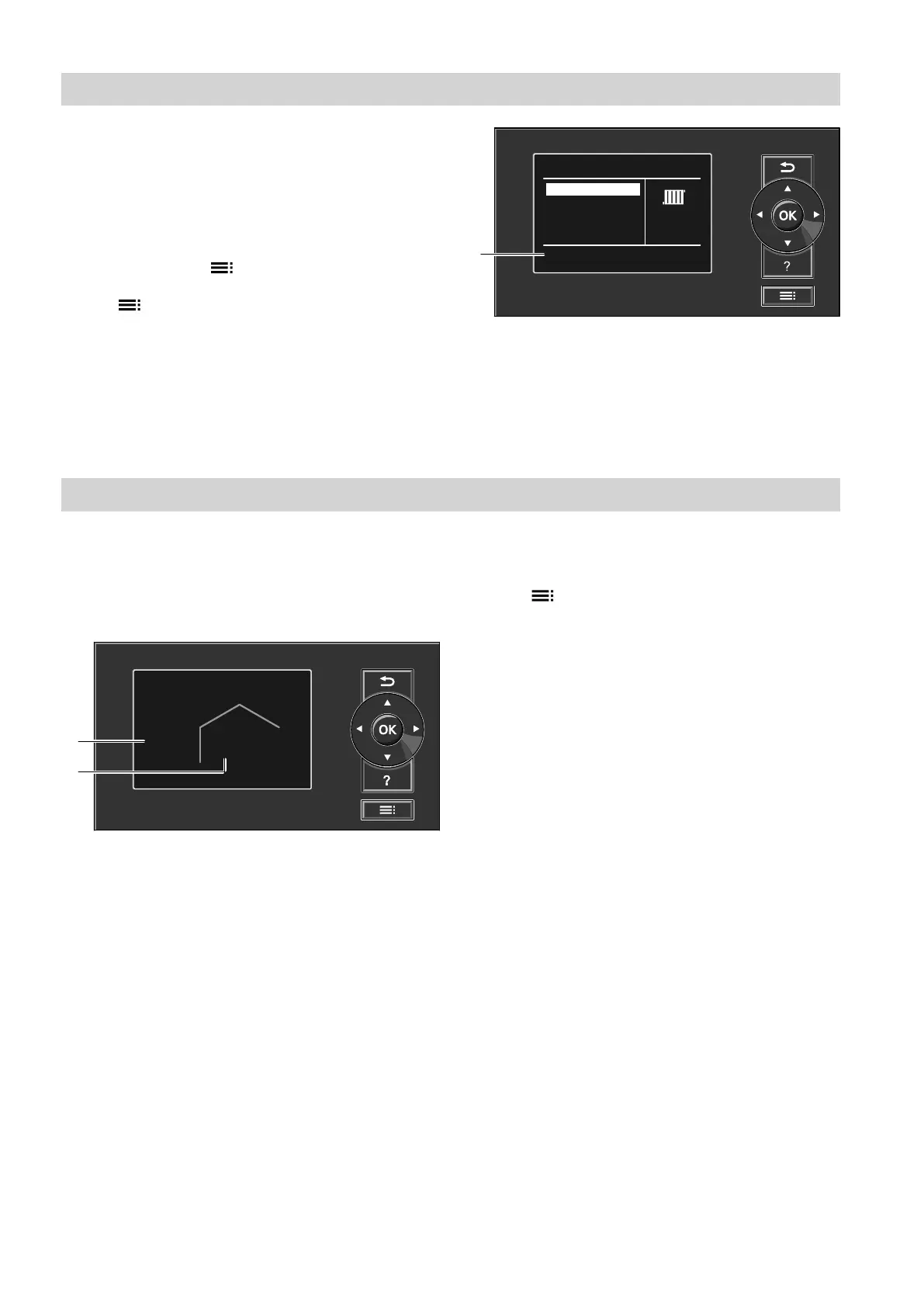
In the extended menu, you can adjust and call up all
the settings from the heat pump control unit range of
functions, e.g. holiday program and time programs.
You can find the menu overview from page 77.
Call up the extended menu as follows:
■
If the screensaver is active:
Press OK and then .
■
From anywhere in the menu:
Press .
Note
Your contractor can block operation for the extended
menu. In this case, you can only call up messages
(see page 51) and, in exceptional cases, activate
manual mode (see page 56). Use manual mode only
after consulting your contractor.
Menu
Manual mode
Continue with
System
DHW
Heating/cooling
OK
F
i
Fig. 6
F
Dialogue line
How to use the controls
The screensaver will become active if you have not
adjusted any settings on the programming unit for a
few minutes. The display brightness is reduced.
Screensaver
Fig. 7
B
Current outside temperature
C
Set room temperature
1. Press OK.
This takes you to the standard menu: see page 17.
2. Press .
The selected menu point is highlighted in white.
This takes you to the extended menu: see
page 18.
Instructions on what to do are provided in dialogue
line
F
: see diagram 6 on page 18.
You can input the central heating/central cooling set-
tings for every heating/cooling circuit. It is therefore
necessary to select the required heating/cooling circuit
prior to inputting the settings (e.g. room temperature).
The following diagram shows how to input settings,
using the set room temperature setting as an example.
The diagram shows the setting with and without select-
ing the heating circuit, as well as various dialogue
lines.
Operation
Extended menu
5790940












 To Next Page