49
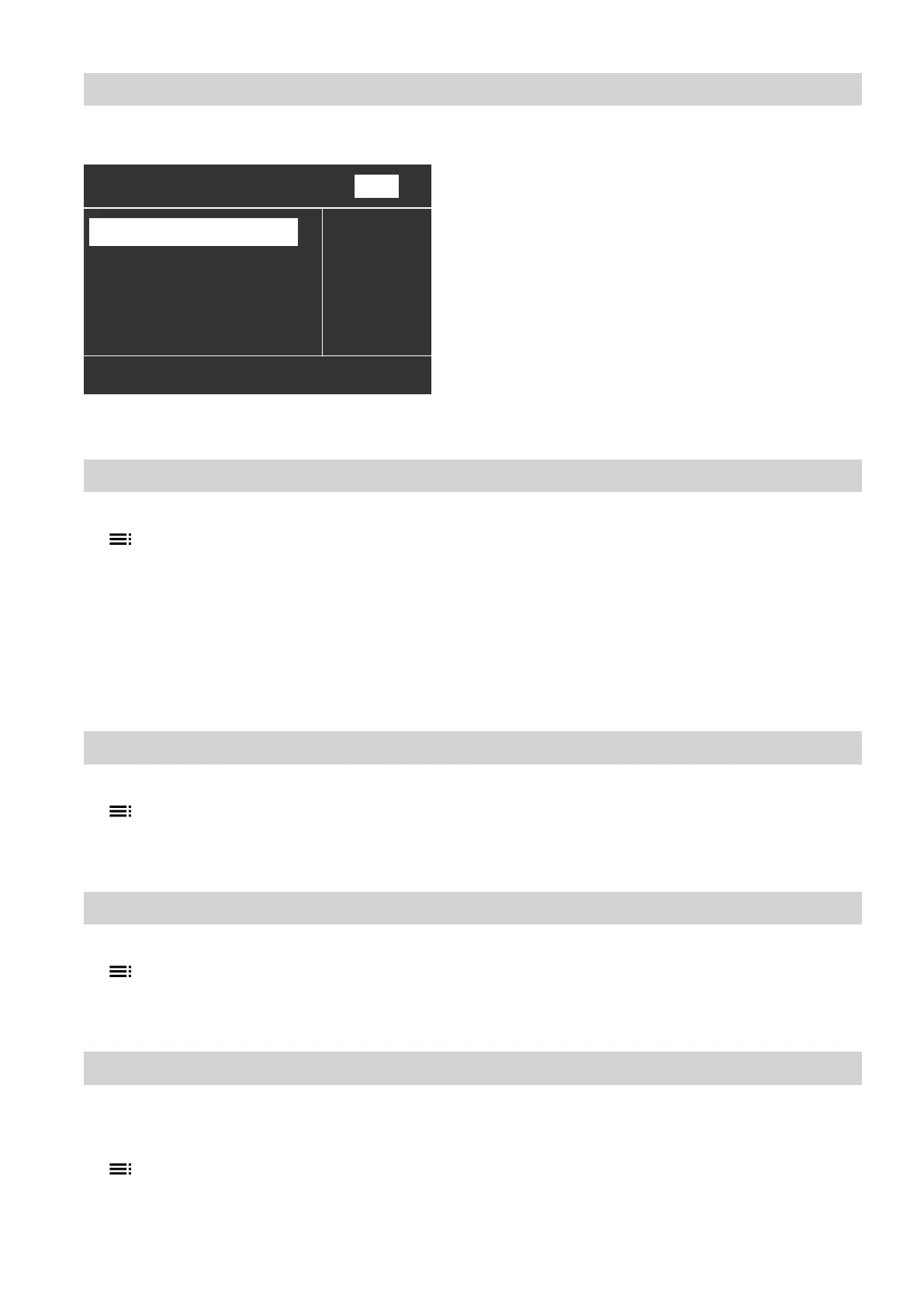
The menu shows "Apartment" for "Heating circuit 2".
Apartment
Set reduced room temp
Select with
(
Set room temperature
Economy mode
Party mode
ß
22°C
Ù
Ú
HC2
Fig. 33
Setting the preferred heating/cooling circuit for the standard menu
1. Extended menu:
2. "Settings"
3. "Standard menu"
4. Select the heating/cooling circuit:
■
"Heating circuit 1"
"HC1" is displayed
■
"Heating circuit 2"
"HC2" is displayed
■
"Heating circuit 3"
"HC3" is displayed
■
"Cooling circuit SKK" (for the separate cooling
circuit)
"SKK" is displayed
Setting the time and date
1. Extended menu:
2. "Settings"
3. "Time/Date"
4. Set the time and date.
Language selection
1. Extended menu:
2. "Settings"
3. "Language"
4. Select the required language.
Setting the temperature unit (°C/°F)
Factory setting: °C
1. Extended menu:
2. "Settings"
3. "Temperature unit"
4. Select the temperature unit "°C" or "°F".
Further adjustments
Setting names for heating/cooling circuits (cont.)
5790940












 To Next Page