30
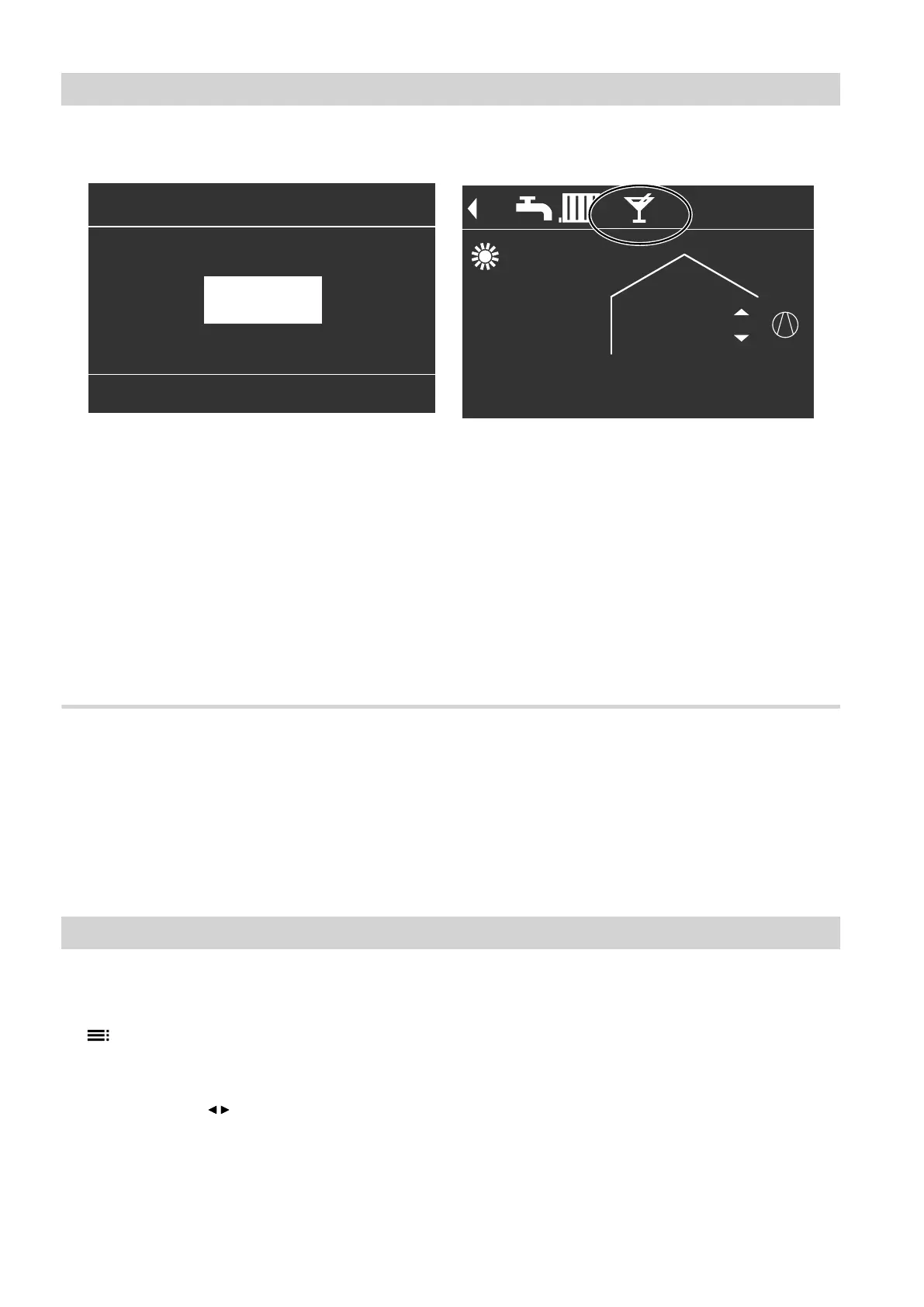
5. Set the required room temperature for "Party
mode".
Party mode
Change with
(
HC1
23°C
Fig. 18
Note
In conjunction with a ventilation unit:
Set the room temperature for ventilation max. 4 °C
lower than for "Party mode". This will ensure that
the bypass functions correctly.
For the preferred heating circuit: display in the
standard menu
Flow temperature 40°C
HC1
14°C
21°C
Flow temperature 40°C
HC1
14°C
21°C
Fig. 19
Note
The display of the set room temperature in the stand-
ard menu does not change.
■
The rooms are heated or cooled to the set tempera-
ture.
■
If your contractor has not made alternative adjust-
ments, DHW is heated to the selected DHW temper-
ature first, before central heating/central cooling
commences.
■
The DHW circulation pump is switched on (if instal-
led).
Ending "Party mode"
■
"Party mode" ends automatically after 8 hours.
or
■
"Party mode" ends automatically if the time pro-
gram changes to the "Standard" or "Fixd value"
operating status.
or
■
Set "Party mode" to "OFF".
Energy saving function "Economy mode"
Setting "Economy mode" for heating
1. Extended menu:
2. "Heating" or "Heating/cooling"
3. If applicable, use / to select the required heating/
cooling circuit
4. "Economy mode"
Central heating/central cooling
Comfort function "Party mode" (cont.)
5790940












 To Next Page