29
6. Set the required value.
Note
You will be provided with tips on when and how to
change the heating curve slope and level. Press .
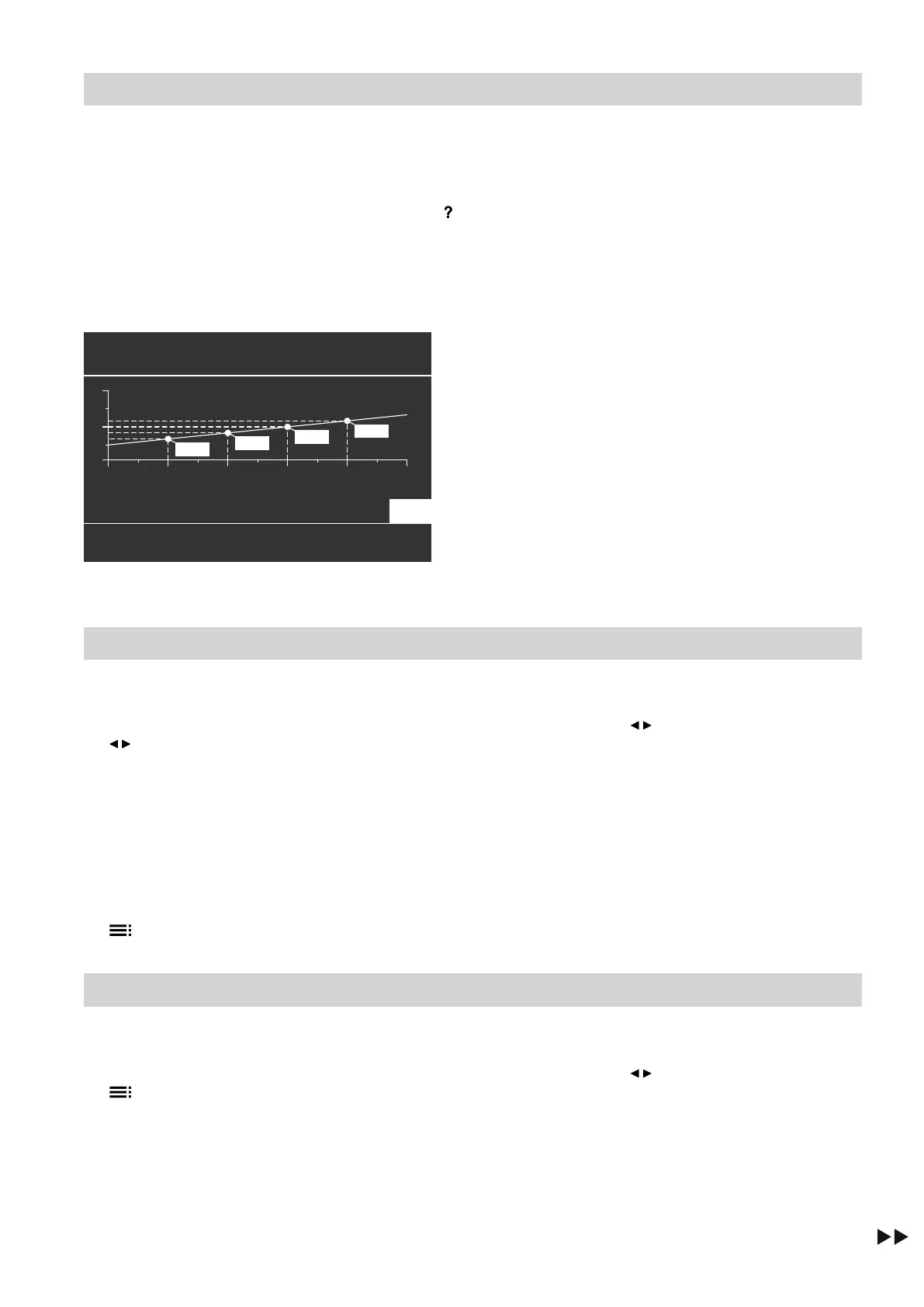
Example: changing the heating curve slope to 1.1
A graph clearly shows the change in the heating curve
as soon as you alter the value for the slope or level.
Heating curve
Change with
(
HC1
Slope
100°C
20 10 0
-10
-20
-30
35°C
1.1
43°C
49°C
55°C
Fig. 17
Set flow temperatures are assigned to the different
outside temperatures. Outside temperatures are
shown on the horizontal axis. Set flow temperatures for
the heating circuit are highlighted in white.
Stopping central heating/central cooling
For the preferred heating/cooling circuit
1. Standard menu:
/ for the operating program:
■
"Only DHW" (no central heating/cooling)
or
■
"Standby mode" (frost protection active)
2. OK to confirm
For all heating/cooling circuits
1. Extended menu:
2. "Heating" or "Heating/cooling"
3. If applicable, use / to select the required heating/
cooling circuit
4. "Operating program"
5.
■
"Only DHW" (no central heating/cooling)
or
■
"Standby mode" (frost protection active)
Comfort function "Party mode"
Setting "Party mode" for central heating/central cooling
1. Extended menu:
2. "Heating" or "Heating/cooling"
3. If applicable, use / to select the required heating/
cooling circuit
Note
"Party mode" cannot be set for a separate cool-
ing circuit.
4. "Party mode"
Central heating/central cooling
Heating curve/cooling curve (cont.)
5790940









 To Next Page