44
Ending "Economy mode"
■
"Economy mode" ends automatically if mechanical
ventilation with the minimum air flow rate (
) is
started in the time program, i.e. between the set time
phases.
or
■
Set "Economy mode" to "OFF".
Energy saving function "Holiday program"
Setting "Holiday program" for ventilation, central heating/central cooling
Note
The holiday program applies to both mechanical venti-
lation and central heating/central cooling in all heating/
cooling circuits: see page 31.
Your contractor can change this default setting.
The holiday program starts at 00:00 h on the day fol-
lowing your departure and ends at 00:00 h on the day
of your return. This means that on the departure and
return dates, the time program specified for those days
is active: see page 42.
1. Extended menu:
2. "Ventilation"
3. "Holiday program"
4. Set the required departure and return dates.
Holiday program
Select with
(
Friday
03.02.2012
Return date:
Thursday
Leaving date:
02.02.2012
Fig. 27
The holiday program has the following effects:
■
Mechanical ventilation with minimum air flow rate
(
)
■
Central heating/central cooling and DHW heating:
see page 31.
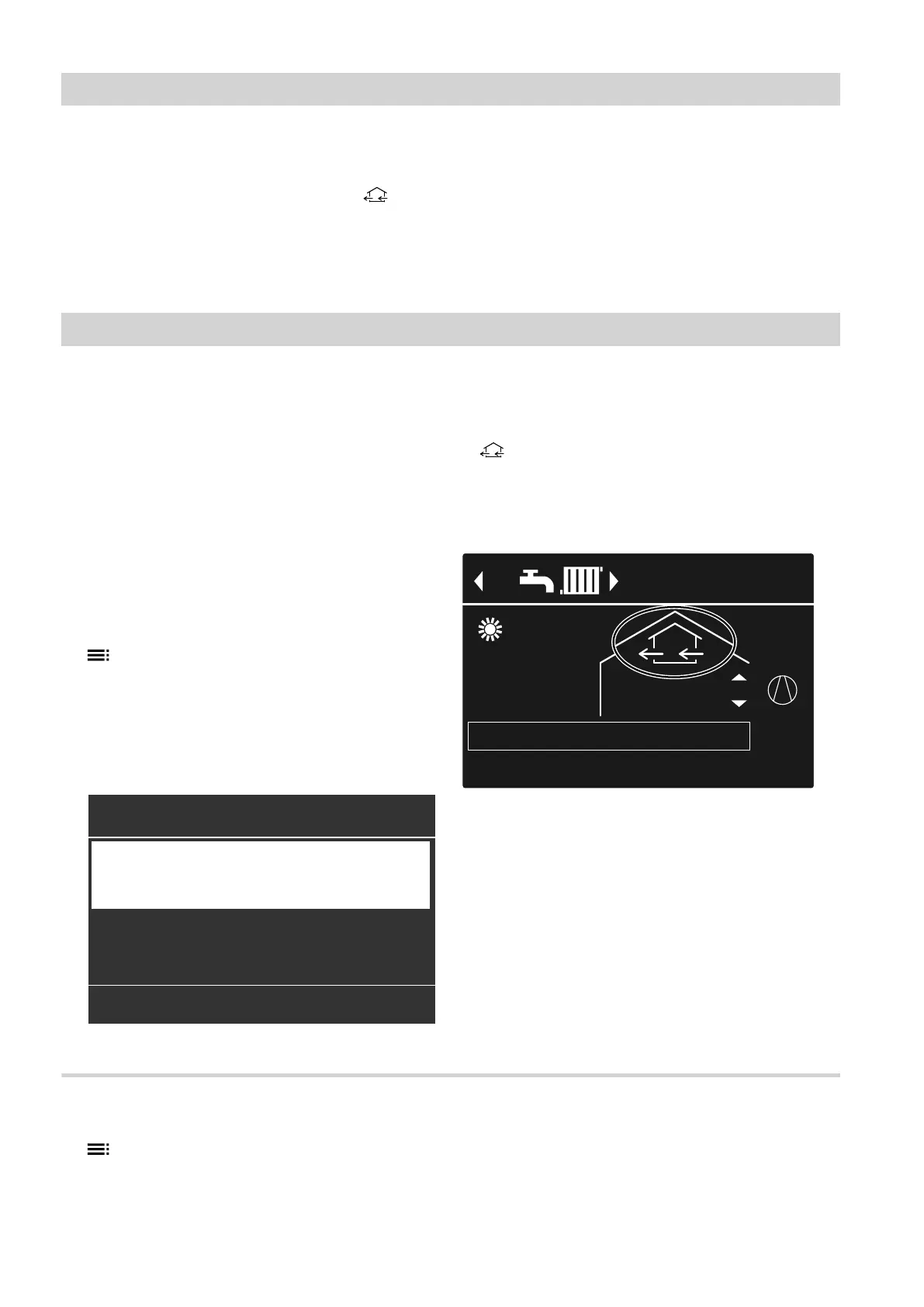
Display in the standard menu
40°CFlow temperature
HC1
14°C
21°C
Holiday program
1
1
Fig. 28
Display in the extended menu
In the extended menu, you can call up the set holiday
program under "Information": see page 51.
Changing "Holiday program"
1. Extended menu:
2. "Ventilation"
3. "Holiday program"
4. "Change program"
5. Set the required departure and return dates.
Mechanical ventilation
Energy saving function "Economy mode" (cont.)
5790940












 To Next Page