Conguring Client Settings
Conguring Service Access Settings
63
Connection Type: Remote Web Access
To access remote applications/desktops, please do the following:
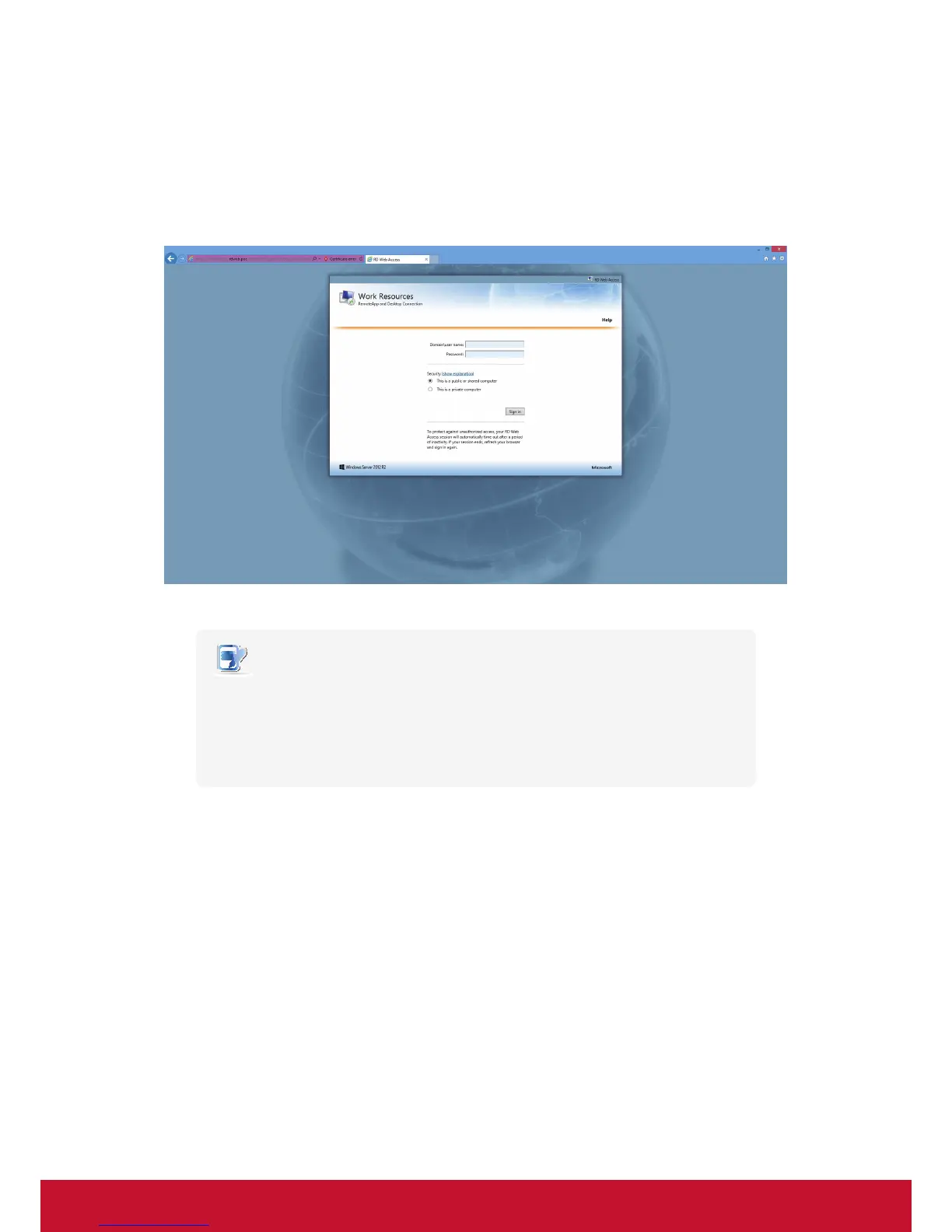
1. Double click the created shortcut on the desktop.
2. A window appears prompting for credentials.
NOTE
• A warning message about security might appear. Consult your IT administrator
for details and ensure the connection is secure rst. To by pass, click Continue to
this website.
• Click to select Allow to enable ActiveX Control when a popup message appears at
the bottom of the page.
3. Provide your credentials, and then click Sign in.


 To Next Page