9
2. Installation
2-1. Bracket Disassembly
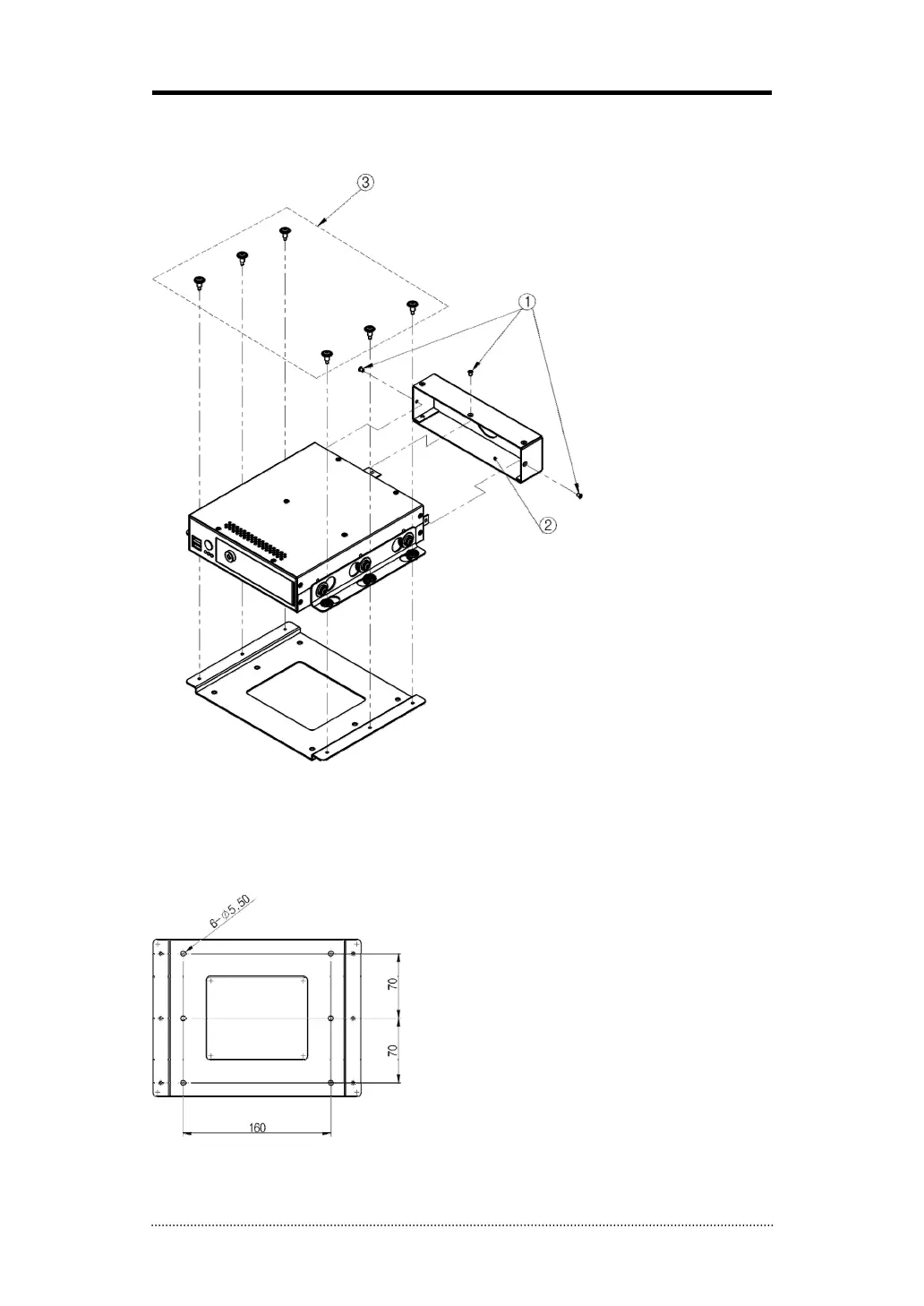
Take the unit out of the box and disassemble the brackets as follow:
- Unscrew Rear Cover Screws to remove Rear Cover
- Unscrew Bracket Screws to remove installation (bottom) bracket.
- The installation bracket has following sizes, and it must be bolt down on the bottom or top
surface strongly using the 6 taping screws.
Rear Cover
Rear Cover Screws (3 points)
Bracket Screws (6 points)



 To Next Page