48
1-2. Site Set Up
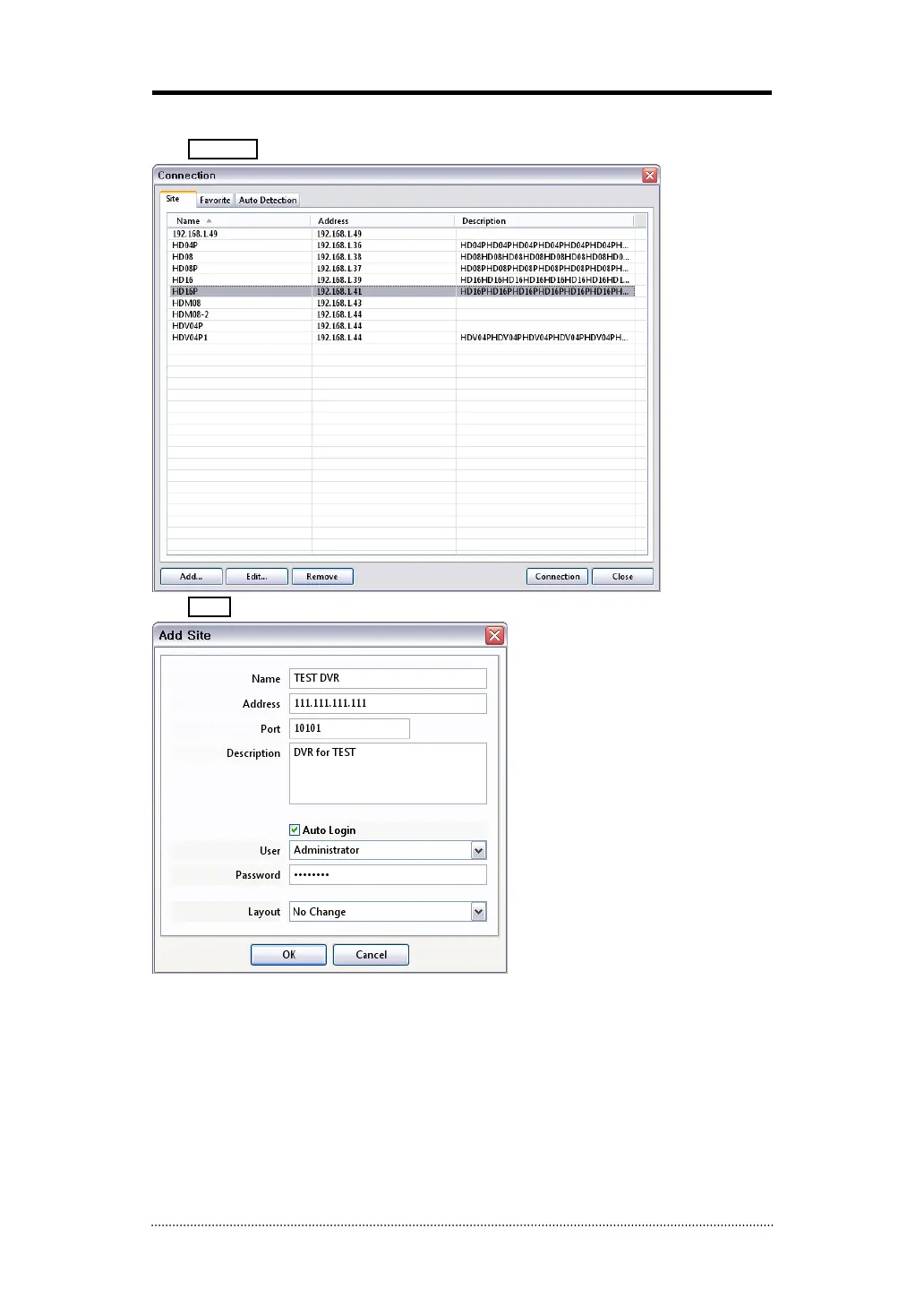
Click Connect button to display registered remote locations or add new locations.
Click Add button to add remote location and required information.
Name: Enter Site Name
Address: Enter IP address or domain name of the site
Port: Enter port number if there is a specific port to be set for the software
Description: Enter the description of the site
Auto Login: If do not want the Log In window to be popped up every time starting the remote
S/W, check Auto Login to skip User/Password authentication process
User: Select the type of user from the list
Password: Enter the password of DVR
Layout: Select desired display layout for the site when it is connected
Note
: Layout can be changed after begin connected using the display option on the menu.



 To Next Page