50
Note
: Auto Detecttion finds DVRs on the local network automatically. To use this function,
Apple® Bonjour® needs to be installed in PC. Please refer to http://www.apple.com/bonjour for
more details and download.
1-3. Favorite Set Up
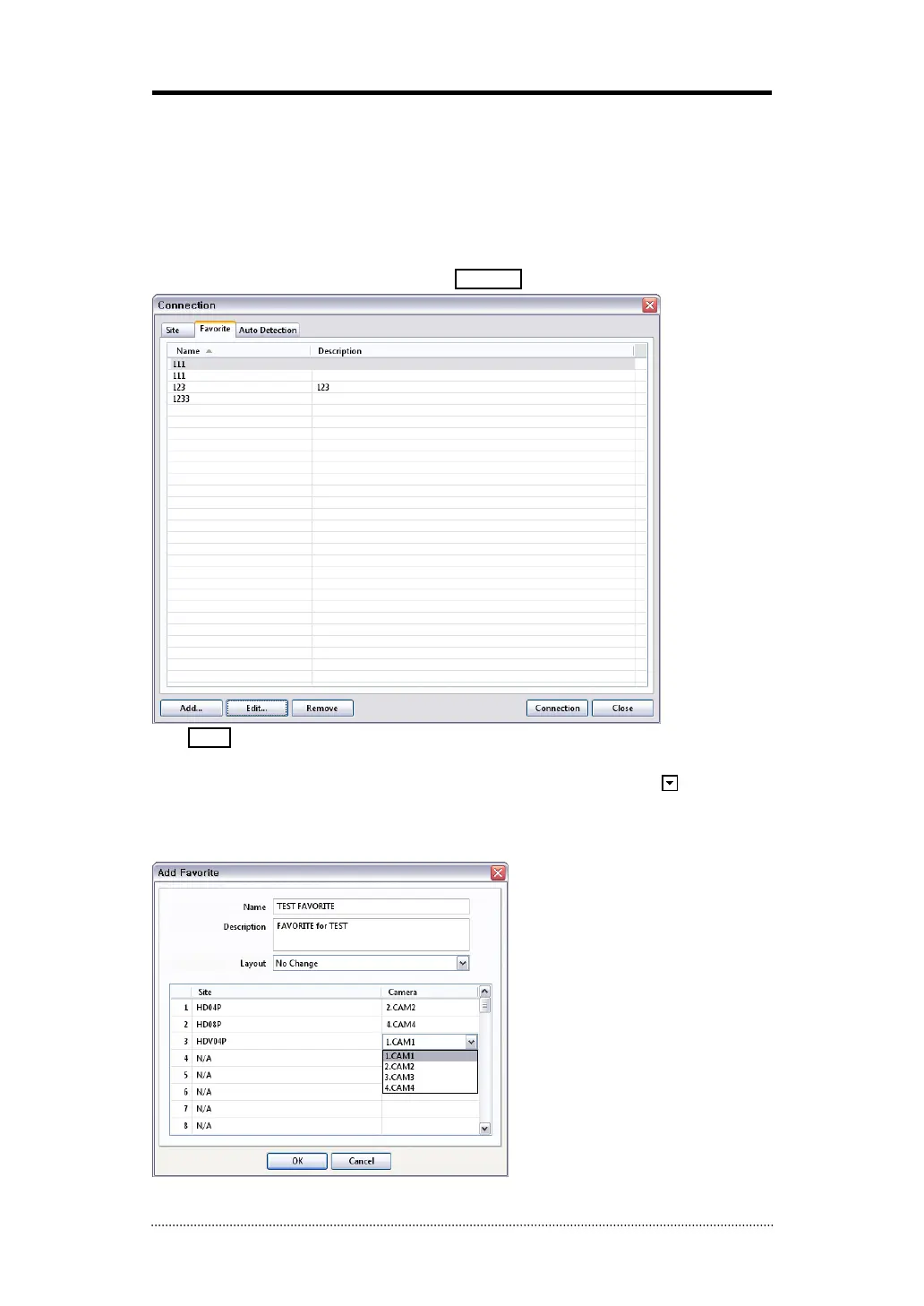
Favorite function allows multi site management. Up to 64 different cameras and sites can be
monitored and managed on one screen. Select Favorite tap.
Click Add button to group multiple sties as one favorite group.
Enter the group name and description. Up to 64 different cameras or sites can be grouped and
displayed together. Select sites and cameras from the drop down list by clicking
button.
Note
: Sites should be registered under ‘Site’ menu before setting the favorite.



 To Next Page