42
detail display of recorded data please press Detail.
Once desired settings are completed, press Go To to begin playback.
3-3. Event Search
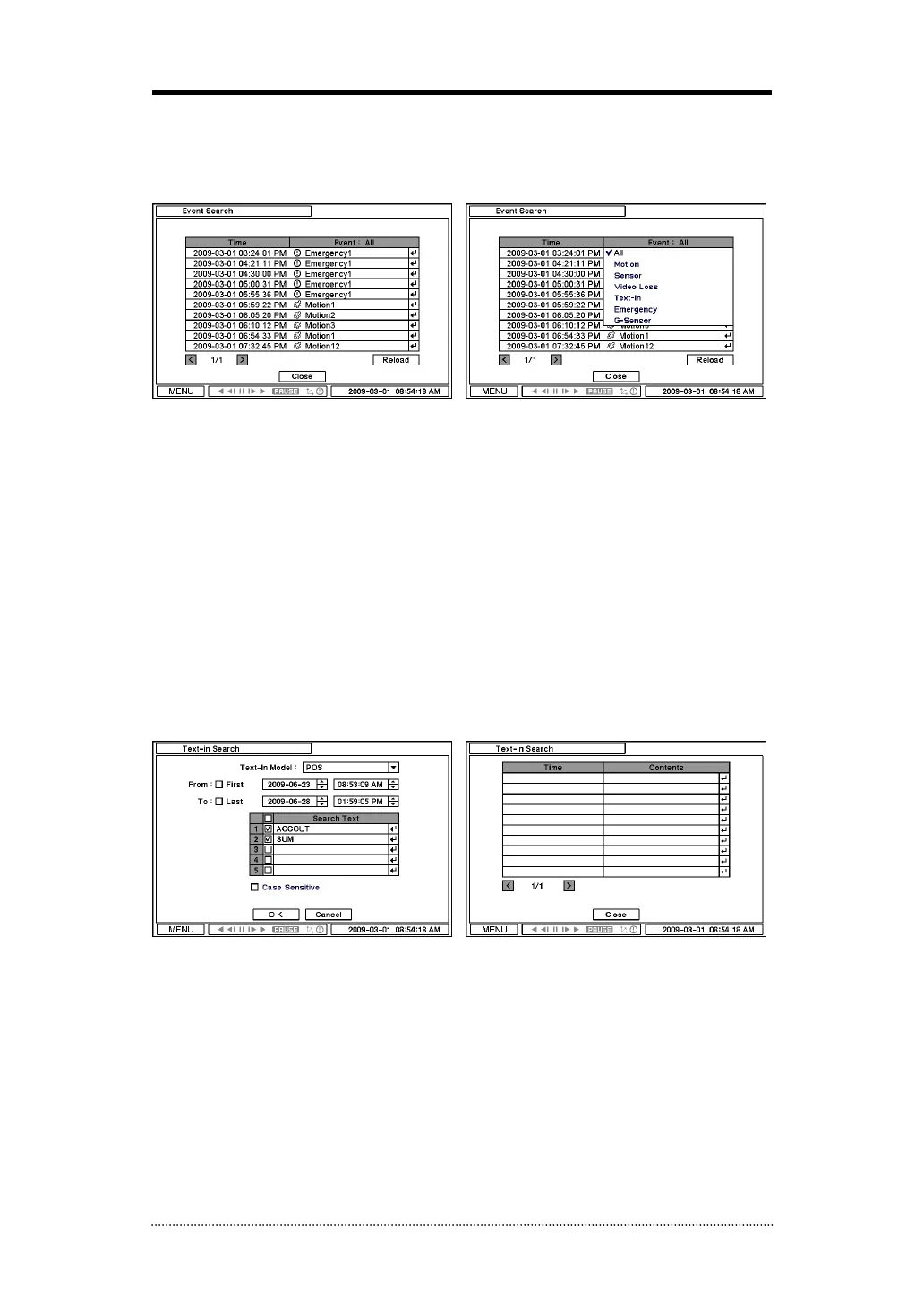
Event Search provides easy search by event list recorded. Select the date and type of event to
find specific data. Press Event: All section on the tope of the list to display event search options.
All: System displays every event
Motion: System displays every events related to Motion
Sensor: System displays every events related to Sensor
Video Loss: System displays every events related to Video Loss
Text-In: System displays every events related to Text In
Emergency: System displays every events related to Emergency Recording
G-Sensor: System displays every events related to G-Sensor
Once find specific list of event, move up and down button to highlight the log and press it to
playback the event data.
3-4. Text-In Search
Text In Search provides easy search by transactions. Search for Time and Transaction information.
Press Search for detail information.
Text In Model: Select a model type for Text In
From: Set beginning time to start search or select First for search from the first data.
To: Set end time to end search or select Last for search to the last data.
Search Text: Enter any words to search text data include the words.
Case Sensitive: Select Case Sensitive option if distinguish a word with case sensitivity.
Once entering all the search information, press OK to start Text In search.



 To Next Page