71
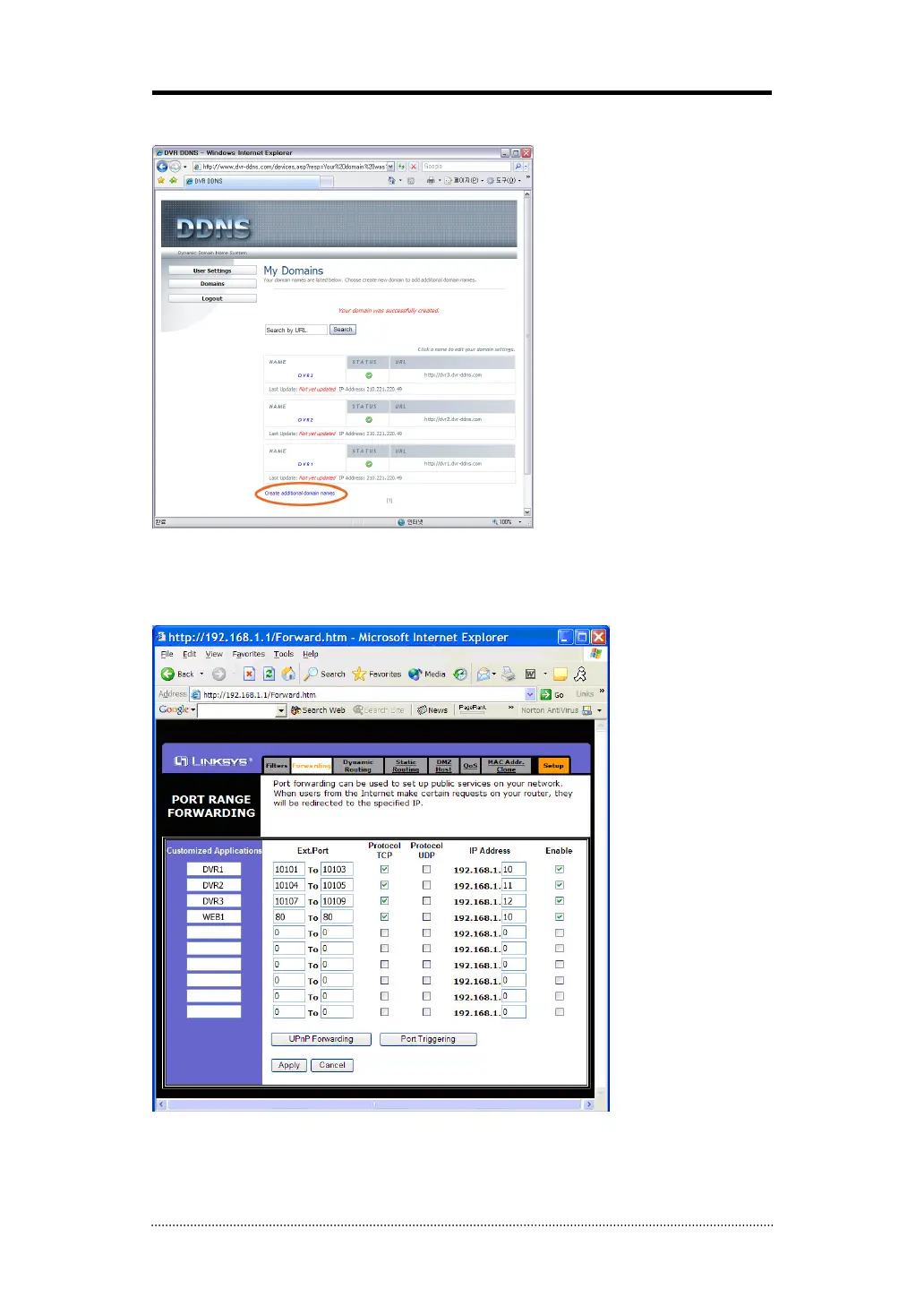
- You can create 3 domain names for one account.
- Click “Create additional domain names” to make another domain name.
2. Router Configuration
- Insert the gateway address on the explorer to connect the homepage for the Router.
- Go to “Port Forwarding” Menu. (The picture below is for particular Router.)
- Please insert the IP address and Port number for DVR in the Port Forward menu.
- The Port number which you insert at this point make it possible to distinguish each of DVRs
- Specify the WEB port number to access the DVR with Internet Explorer. Default port number is
80.



 To Next Page