10
2-2. Unit Installation
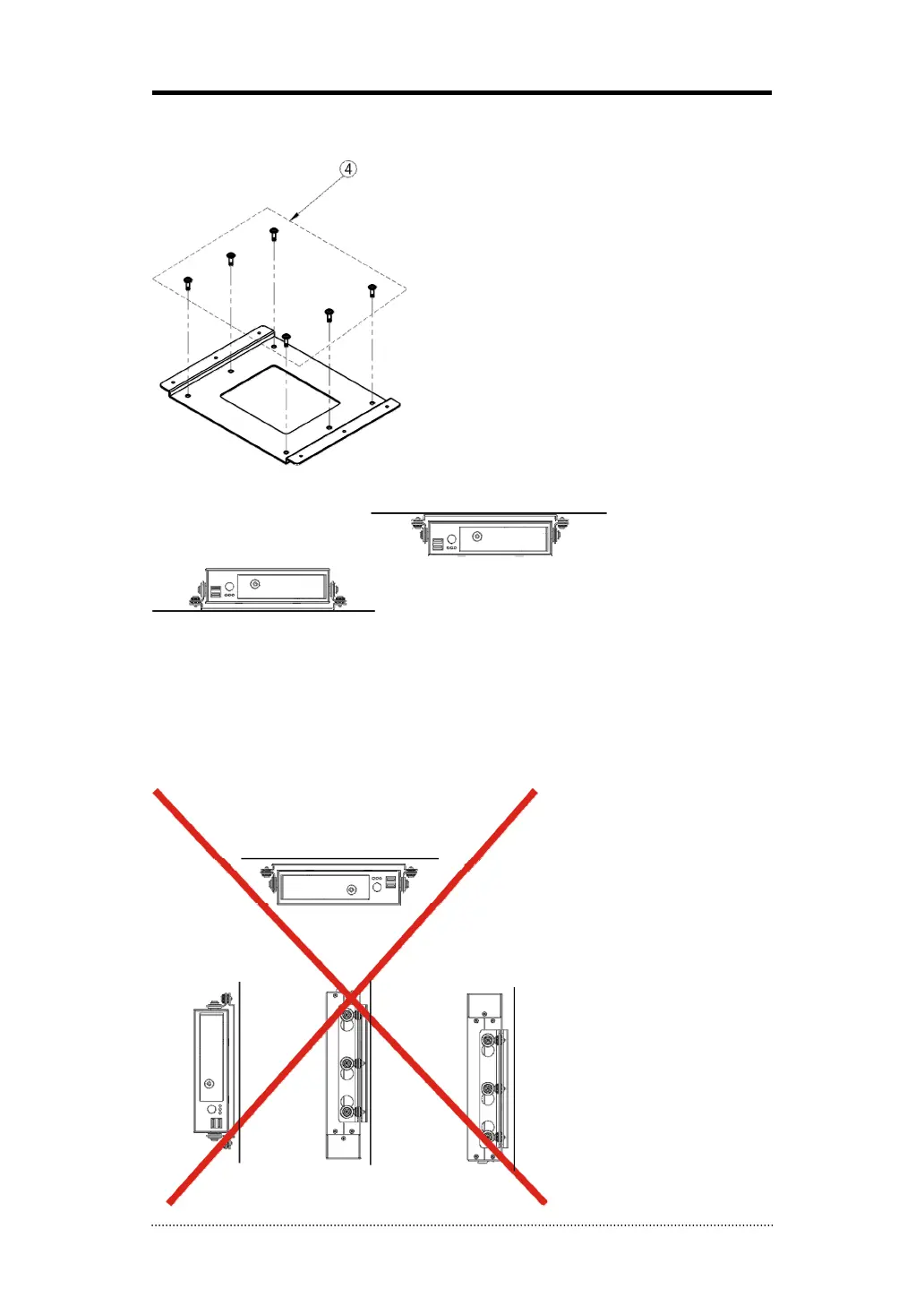
Bolt Down Installation Bracket on the bottom or top surface using bracket screws.
- To install the unit on the bottom, just use the bracket screws to bolt down the unit with the
installation bracket as it is.
- To install the unit on the top, turn the side bracket upside and bolt down the unit with the
installation bracket.
Note
: If the unit is installed as show below, it might cause abnormal operation or sensor
detections due to the instability.
[The Bottom]
[The Top]
Bracket Screws (6 points)



 To Next Page