28
2-3. DISPLAY
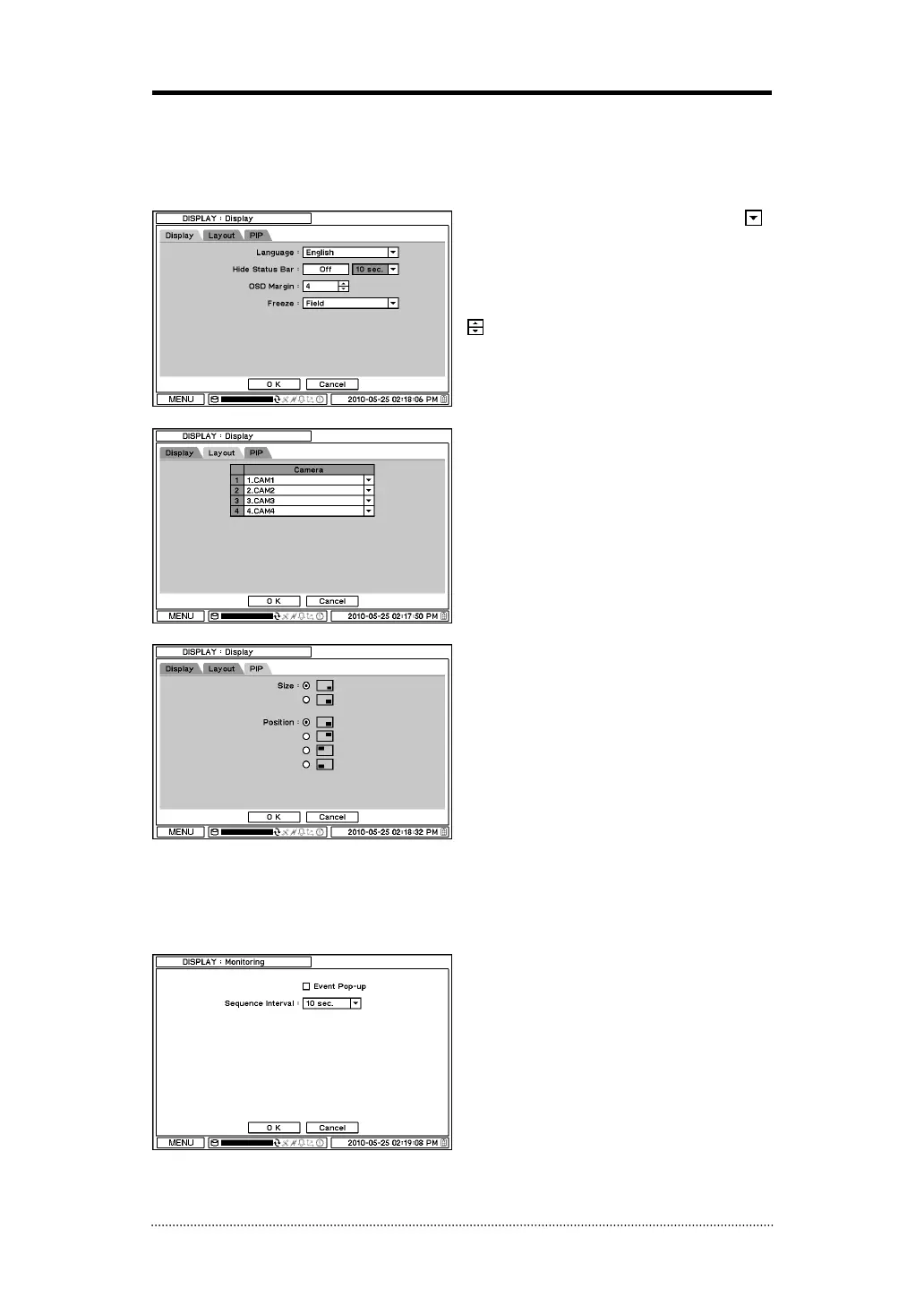
Under Display menu, Display configuration options for OSD and Monitor can be selected.
2-3-1. MENU > DISPLAY > Display
Language: Select system language. Press
to find available language options.
Hide Status Bar: Select On/Off and time to
hide Status Bar when system is not in use.
OSD margin: Set OSD margin (position) using
.
Freeze: Display an image in either Field or
Frame format when it is in still (freeze) mode.
Layout: Allows to change or reallocate video
inputs’ (cameras) displays.
PIP (Picture In Picture) size and its display
positions can be selected under PIP menu.
Please select desired size and positions of PIP
display.
2-3-2. MENU > DISPLAY > Monitoring
Event Pop-up: Pops up the camera image in
full screen when pre-set event occurs.
Sequence Interval: Set time interval between
cameras under sequence mode.



 To Next Page