VIKING TECHNICAL SUPPORT 1.800.908.0884
21
LIMITS SETUP
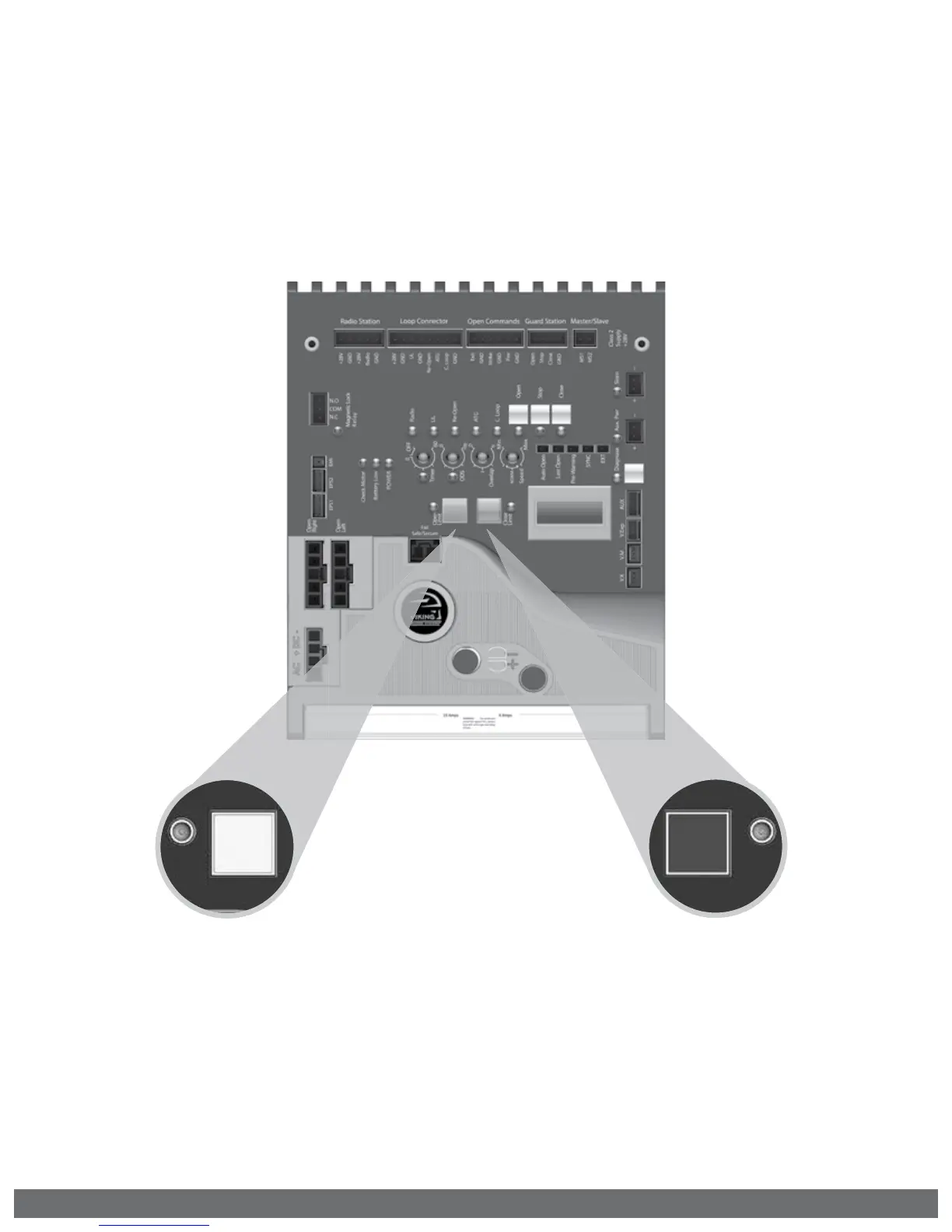
To Readjust the Open Limit:
1.
Clear the current limit setting by
holding down the “Open Limit” button
until the LED is flashing.
2.
Repeat STEP 2 on page 20 to set the
limit.
To Readjust the Close Limit:
1.
Clear the current limit setting by
holding down the “Close Limit” button
until the LED is flashing.
2.
Repeat STEP 3 on page 20 to set the
limit.
! NOTE:
1.
The 1st cycle after the limit setup is the “Learn Cycle”. Allow a complete cycle to
confirm your settings.
2.
During the initial limit setup, the operator will run at half speed.
Open
Limit
Close
Limit



 To Next Page