Page 28 of 41 December 12, 2018
Service Procedures
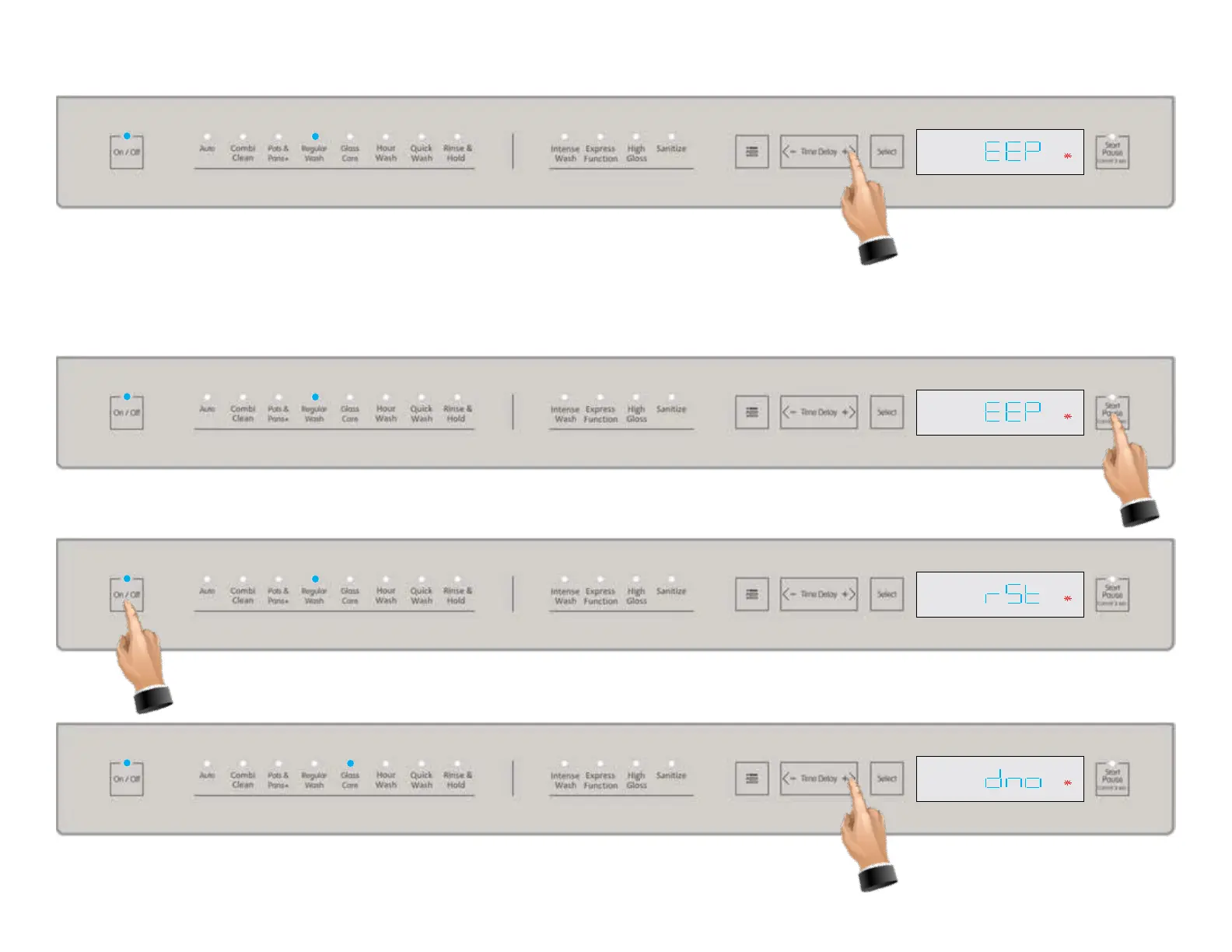
If not initiating the automated service test, the next service menu item is Shown above
when stepping to the next menu item. This is the “EEP” (Eprom reset function), which will
restore all factory settings to all parameters.
Press the Start/Pause pad to reset the Eprom, see below illustration.
With “rSt” ashing in the display as shown below, the Eprom has been reset to factory settings. Press-
ing the On/Off pad will save the new settings and turn off the machine.
Press the time delay + tab again to go to the next item in the settings menu, software display
, see below.



 To Next Page