Page 24 of 41 December 12, 2018
Service Procedures
Service Menu
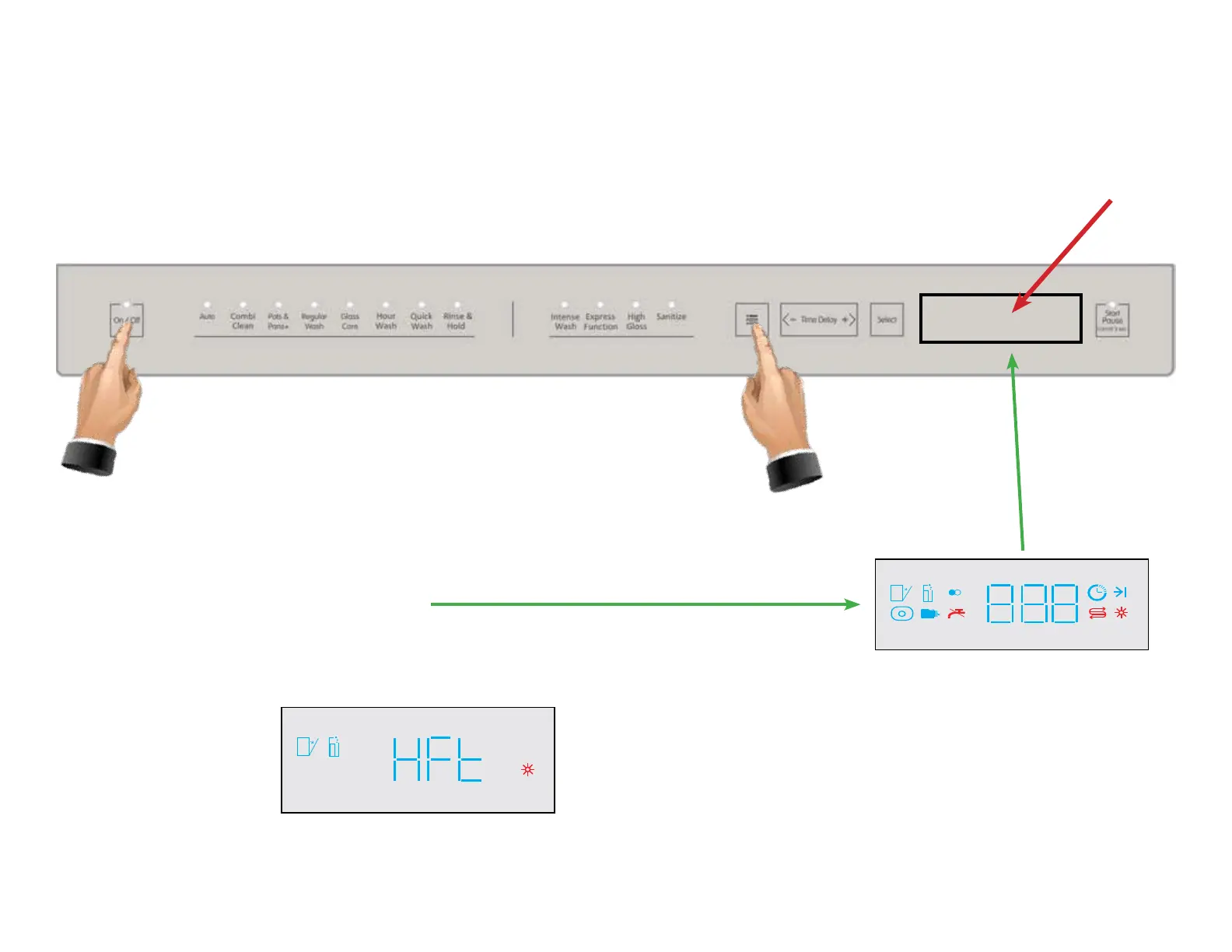
Enter the Service Menu by pressing and holding the ON/OFF pad and the MENU pad simultaneously for three seconds. The Display
will count down, “ 3...2...1”.
When the entire display screen is illuminated , release both pads. After three seconds, all of the
LED’s will illuminate as shown to the right.
The display will then change to HFt as shown below.



 To Next Page