10
Functions and InfoDisplay
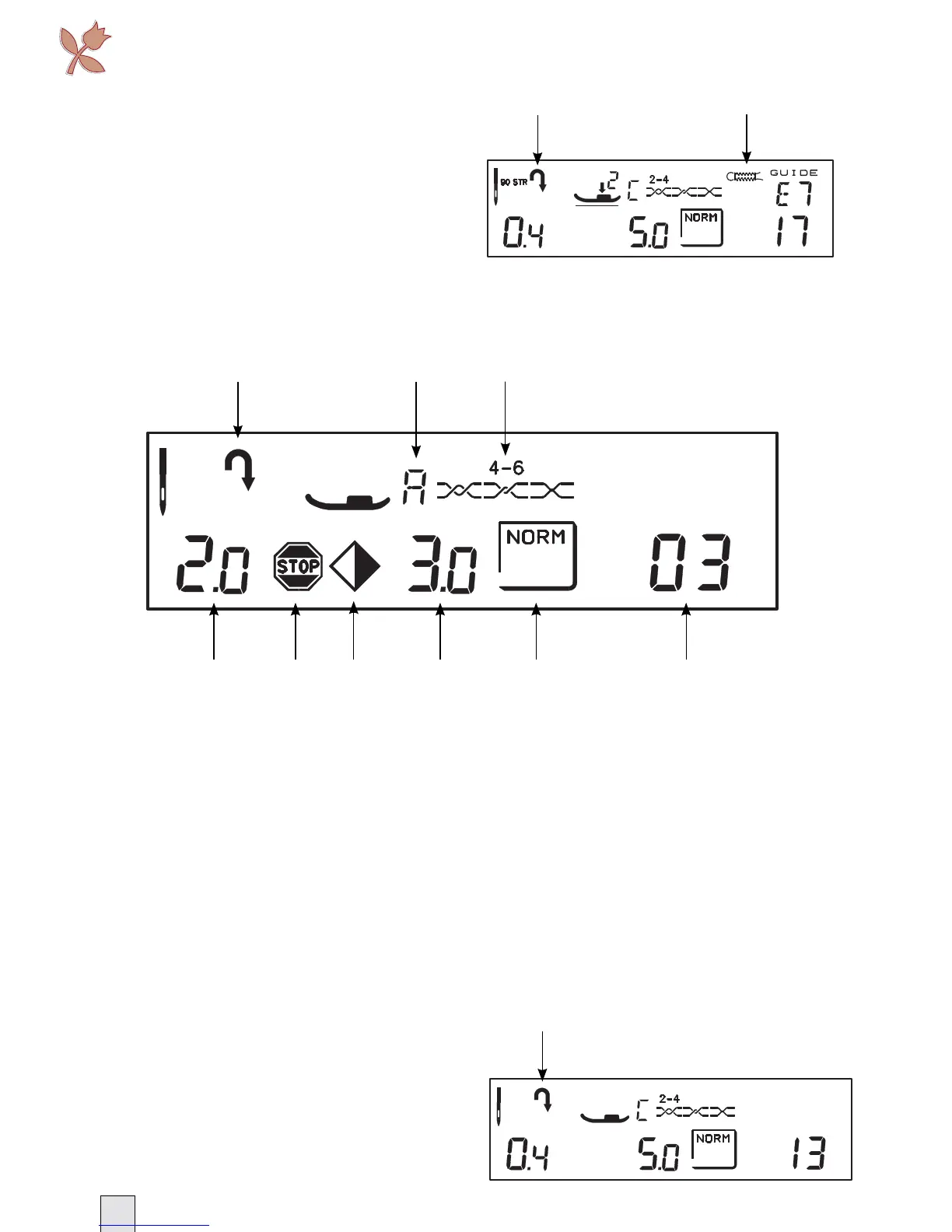
Buttonhole Icons
15 When sewing step by step
buttonholes, a fl ashing icon indicates
that you need to touch REVERSE to
move between the different parts of
the buttonhole.
16 Recommends a corded buttonhole.
Interlude 435
General Icons
1 Indicates that REVERSE is active.
For Darning Stitch (no 11), Tapering
Stitch (no 12) or when sewing step
by step buttonholes, a fl ashing icon
indicates that you need to touch
REVERSE to change direction.
2 The reccomended PRESSER FOOT.
3 The recommended THREAD TENSION.
4 The STITCH LENGTH.
Buttonhole Icons
10 When sewing step by step
buttonholes, a fl ashing icon indicates
that you need to touch REVERSE to
move between the different parts of
the buttonhole.
5 Indicates that the STOP function is
active.
6 Indicates that the function MIRROR
SIDE TO SIDE has been activated.
7 The STITCH WIDTH.
8 The selected MODE.
9 The number of the SELECTED STITCH.








 To Next Page