4
2
1
3
Learn your Interlude
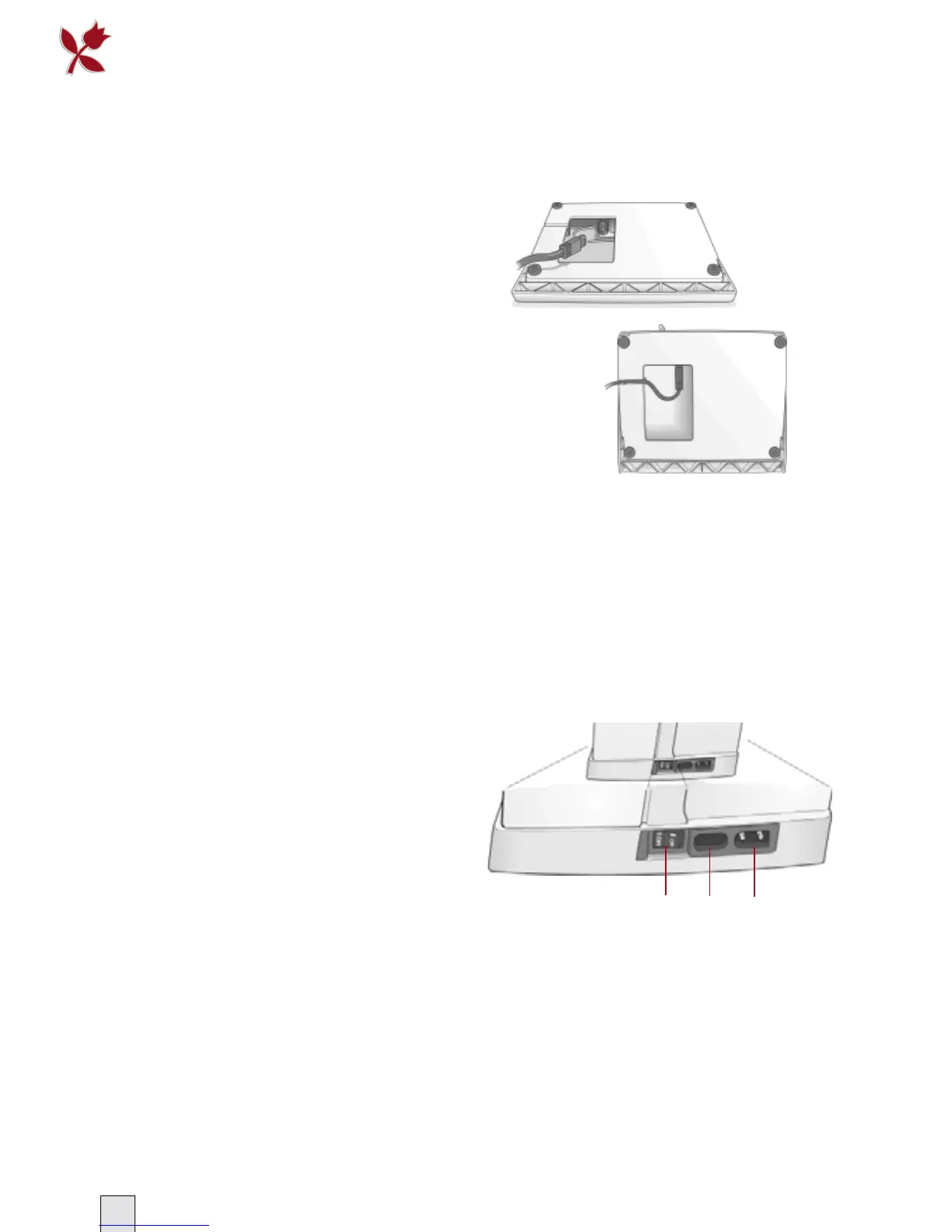
Connecting the Foot Control
Among the accessories you will fi nd the
foot control cord and the main cord.
Connecting the foot control cord to
the foot control is only necessary the
very fi rst time you are going to use the
machine.
1 Take out the foot control cord. Turn
the foot control over. Connect the
cord to the socket inside the space of
the foot control.
2 Push fi rmly to make sure it is
properly connected.
3 Put the cord through the slot on the
right hand side of the foot comtrol.
Connect to the Power Supply
On the underside of the machine you will
fi nd information about the power supply
(V) and the frequency (Hz).
Before plugging in the foot control, check to ensure that
it is of type “FR4” (see underside of foot control).
1 Connect the foot control cord to the
front socket on the bottom right side
of the machine.
2 Connect the power cord to the rear
socket on the bottom right side of the
machine.
3 When you press the power switch to
ON, both the machine and the light
are switched on.
For the USA and Canada
This sewing machine has a polarized
plug (one blade wider than the other). To
reduce the risk of electric shock, this plug
is intended to fi t in a polarized outlet only
one way. If the plug does not fi t fully in the
outlet, reverse the plug. If it still does not fi t,
contact a qualifi ed electrician to install the
proper outlet. Do not modify the plug in any
way.








 To Next Page