EasyManua.ls Logo

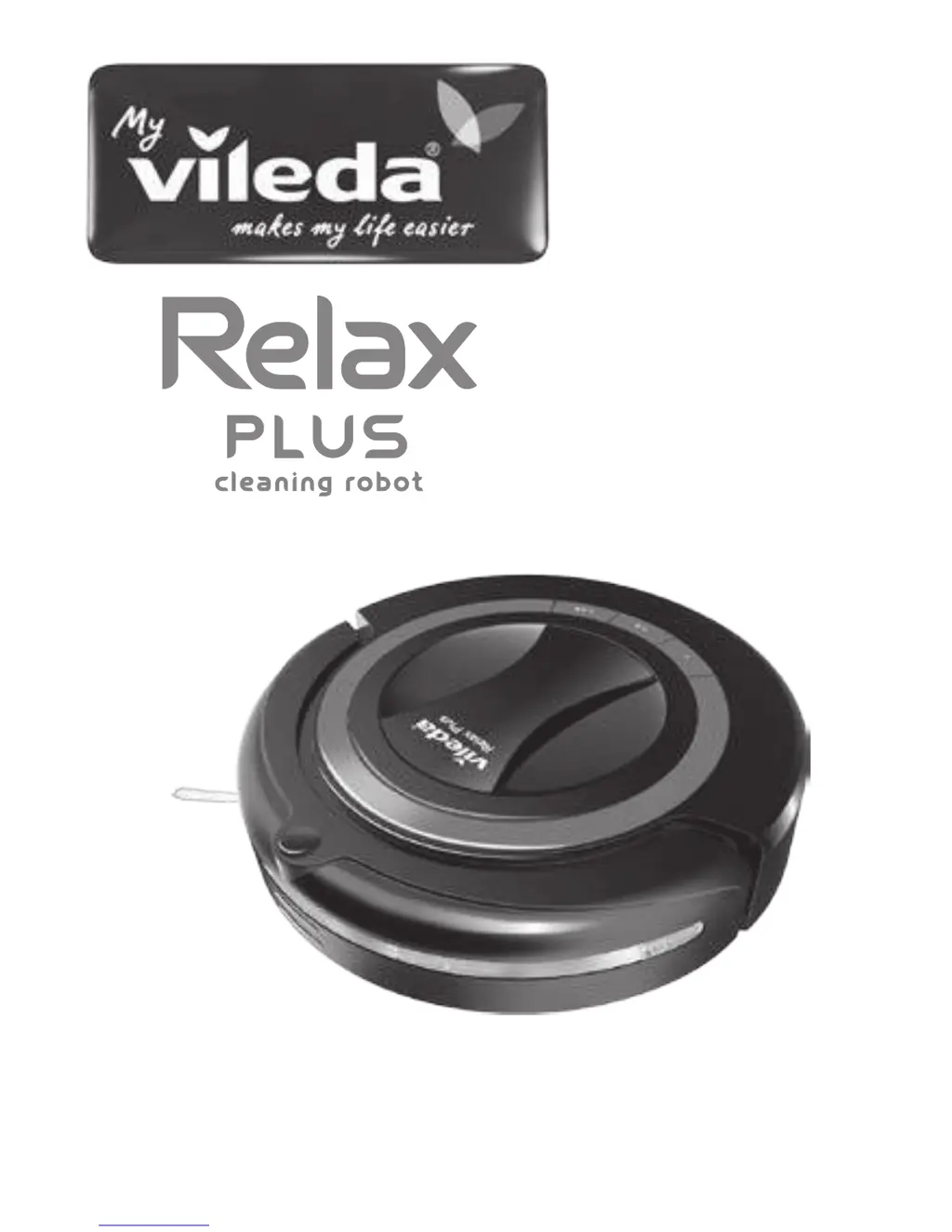
Vileda Relax Plus - User Manual

Vileda Relax Plus
112 pages
Print Icon
To Next Page IconTo Next Page
Loading...
Owner's Manual • Manuale dell'Utilizzatore • Benutzerhandbuch • Manual del usuario • Manual do Utilizador
Manuel de l'Utilisateur • Gebruikershandleiding • Εγχειρίδιο Χρήστη • Kullanıcı Kılavuzu

Table of Contents

Questions and Answers

  • K
    Karen MillerJul 31, 2025
    Why Vileda Relax Plus robot cannot find the Charging Station?
    • G
      Gary CainJul 31, 2025
      There are several reasons why your Vileda Vacuum Cleaner robot might be unable to locate the Charging Station: * The Charging Station may not be properly connected to the mains. Ensure it's correctly plugged in and the power indicator lights up. * Obstacles might be blocking the Charging Station. Clear any objects within 3m in front and 0.5m to the sides of the station. * The robot's obstacle sensors or the Charging Station's docking sensor could be dirty. Clean them with a dry cloth. * The robot's battery might be completely empty. In this case, charge the robot manually once.
  • R
    richardmooreAug 4, 2025
    What to do if Vileda Relax Plus stops cleaning and all light indicators are flashing?
    • S
      Sara SmithAug 4, 2025
      If your Vileda Vacuum Cleaner stops or doesn't start cleaning and all the lights are flashing, it indicates one of the following issues: * The main brushes are jammed. You should clean the main brushes and then restart the device. * The drive wheels are jammed. You should clean the drive wheels and then restart the device. * The dustbin is not correctly inserted. You should insert the dustbin correctly and then restart the device.
  • S
    Sheila JacksonAug 8, 2025
    Why Vileda Vacuum Cleaner timer does not work?
    • K
      kristy81Aug 8, 2025
      Your Vileda Vacuum Cleaner's timer might not be working due to a few reasons: * There's no battery or the battery is low. Insert a charged battery. * The timer isn't synchronized. Synchronize the timer. * The distance between the timer and the robot is too great. Ensure the distance is less than 10m.
  • D
    Dawn RiversAug 12, 2025
    What to do if Vileda Relax Plus Vacuum Cleaner only moves in circles?
    • M
      Mary WilliamsAug 12, 2025
      If your Vileda Vacuum Cleaner is only moving in circles, it's likely that one of the wheels is blocked. Remove any hairs and dirt from the wheels to resolve this issue.
  • C
    crodriguezAug 17, 2025
    Why Vileda Vacuum Cleaner does not start scheduled cleaning?
    • M
      mirandamelindaAug 17, 2025
      Your Vileda Vacuum Cleaner might not start scheduled cleaning for these reasons: * The robot is turned off. Turn the robot on by pressing the power switch. * The weekday for autonomous cleaning is not selected. Select a weekday for autonomous cleaning.
  • J
    Jose BrownAug 21, 2025
    Why the central light indicator is flashing on Vileda Vacuum Cleaner?
    • C
      campbellkimAug 21, 2025
      If the central light indicator is flashing on your Vileda Vacuum Cleaner, it means the battery is low. Recharge the battery.
  • J
    Jennifer PierceAug 25, 2025
    How to fix Vileda Vacuum Cleaner that does not detect cliffs?
    • T
      Theresa BakerAug 26, 2025
      If your Vileda Vacuum Cleaner isn't detecting cliffs, it's likely because the cliff sensors are dirty. Clean the sensors with a dry cloth.

Summary

General Warnings

Battery Use and Care

Service

Information on service, repairs, and using only manufacturer-approved parts.

Part Location

Product Anatomy

Battery Charging and Recharging

Manual Charging

Instructions for charging the robot manually via the charger and mains connection.

Synchronisation of Charging Station

Steps to synchronize the robot with the charging station for the first time.

Autonomous Charging

Procedure for setting up and using the charging station for automatic charging.

Using the Product

Manual Cleaning

Steps to operate the robot for manual cleaning cycles.

Timer Synchronisation

Procedure for synchronizing the timer with the robot for scheduled cleaning.

Timer and Robot Time Setting

How to set the current time on the timer and robot for scheduled cleaning.

Scheduled Cleaning

Instructions for setting up and initiating scheduled cleaning cycles.

Cleaning Modes

Cleaning System

Dustbin Maintenance

Filter Maintenance

Main Brush Cleaning

Side Brush Replacement

Troubleshooting Guide

Environmental and Product Recycling

Battery Removal

Technical Specification

Vileda Product Guarantee

Guarantee Scope

Details the scope of the Vileda product guarantee, including coverage and limitations.

Guarantee Terms

Specifies the terms and conditions for obtaining guarantee services, including required documentation.

Exclusions and Limitations

Outlines what is not covered by the guarantee, including misuse and wear and tear.

Consumer Legal Rights

Informs consumers about their legal rights concerning faulty goods.

Guarantor Information

Identifies the Vileda guarantor and contact information for warranty services.

Vileda Relax Plus Specifications

General IconGeneral
BrandVileda
ModelRelax Plus
CategoryVacuum Cleaner
LanguageEnglish

Related product manuals