EasyManua.ls Logo

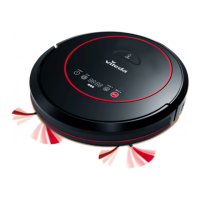
Vileda VR ONE - User Manual

Vileda VR ONE
178 pages
Print Icon
To Next Page IconTo Next Page
Loading...
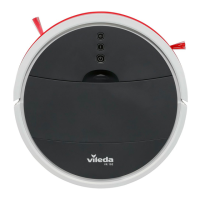
VR 102 / VR ONE
CLEANING ROBOT
User & care guide • Manuale d'uso e manutenzione • Lieferumfang & Schnellstart Anleitung • Guía de
usuario y cuidados • Manual de utilização & cuidados • Guide d'utilisation et d'entretien • Onderhouds- en
gebruikshandleiding • Bruksanvisning och skötselguide • Bruger- og vedligeholdelsesvejledning/Bruker-
og vedlikeholdsveiledning • Käyttö- ja hoito-opas • Instrukcja użytkowania i czyszczenia • Navodila za
uporabo in nego • Uživatelská příručka • Užívateľská príručka • Vodič za korisnika i za njegu • Οδηγίες
Χρήσης • Ghid de utilizare și întreținere
Model No: 0769-03

Table of Contents

Questions and Answers

  • T
    Taylor VelezAug 7, 2025
    What to do if the power button is flashing quickly red on my Vileda VR ONE Vacuum Cleaner?
    • W
      William TurnerAug 8, 2025
      If the power button on your Vileda Vacuum Cleaner is flashing quickly red, it indicates a problem. This could be due to: * An overloaded or jammed motor: Check if the fan opening is free and clean the dust box. * The device being off the ground or sensors jammed or dirty: Put the robot on solid ground, check the sensitivity of the front bumper, and clean the sensors. * The dust box not placed in position or the robot operating without a dust box: Put the dustbin back and place it correctly. * A blocked suction passage: Clean the suction passage with the maintenance brush.
  • E
    Eric RogersAug 12, 2025
    Why does my Vileda VR ONE stop working and the power button flashes slowly red?
    • T
      Tammy AndersonAug 12, 2025
      If your Vileda Vacuum Cleaner stops working and the power button is flashing slowly red, it means the battery power is low. Charge the robot to resolve this.
  • E
    Erika YatesAug 17, 2025
    Why does my Vileda VR ONE Vacuum Cleaner have low suction?
    • N
      Nicole WoodsAug 17, 2025
      Low suction in your Vileda Vacuum Cleaner can occur due to several reasons: * The dust box might be full, so empty it. * The filter could be blocked with dirt; clean it with a brush. * The filter might be missing; put it back in place.
  • D
    dwaltersAug 22, 2025
    How to fix a Vileda Vacuum Cleaner that is not running?
    • J
      Jennifer DurhamAug 22, 2025
      If your Vileda Vacuum Cleaner robot isn't running, it's likely because the battery is too low. Recharge the battery for 5 hours to resolve this.
  • J
    Johnny StewartAug 27, 2025
    Why is my Vileda Vacuum Cleaner showing abnormal movement?
    • J
      Jared ZamoraAug 28, 2025
      Abnormal movement in your Vileda Vacuum Cleaner is typically due to dirty wheels or drop sensors. Clean the wheels and drop sensors to correct this issue.
  • A
    Anthony JonesSep 1, 2025
    How to fix deformed side brushes on my Vileda Vacuum Cleaner?
    • L
      Lynn GriffinSep 1, 2025
      Deformed side brushes on your Vileda Vacuum Cleaner can often be fixed. First, remove the side brushes and carefully clean them to remove any hair or dirt. If the brushes are still curled or deformed, put them in warm water for about 5 seconds.

Summary

Packaging Contents and Quick Start Guide

Product Overview

General Warnings

Use Restrictions

Important rules for safe and proper operation of the robot, including usage environments and prohibited actions.

Personal Safety

Guidelines to ensure user safety during operation, maintenance, and interaction with the robot.

Electrical Safety Instructions

Specific safety precautions related to the robot's electrical components, charger, and power supply.

Battery Use and Care

Instructions for safe handling, charging, maintenance, and disposal of the robot's battery.

Service

Recommendations for maintenance and repair, emphasizing qualified service agents.

Getting to Know VR 102

Buttons and Cleaning Modes

Explanation of the robot's control buttons and available cleaning modes.

Battery Charging & Recharging

Maintenance

Battery Removal and Replacement

Step-by-step guide for safely removing and replacing the robot's battery.

Troubleshooting

Environmental and Product Recycling

Product Specification

Vileda Product Guarantee

A. Scope

Defines the coverage duration and terms of the product guarantee.

B. Terms

Outlines the conditions and limitations for receiving guarantee service.

C. Exclusions and Limitations

Details specific situations and damages not covered by the product guarantee.

D. Your Legal Rights Reserved

Informs users about their statutory rights in addition to the product guarantee.

E. Your Guarantor

Provides contact information for the guarantor and warranty support.

Vileda VR ONE Specifications

General IconGeneral
Battery Capacity2200 mAh
Charging Time4-5 hours
Noise Level65 dB
Weight2.5 kg
TypeRobot Vacuum Cleaner
Battery TypeLithium-ion
Cleaning ModesAuto, Spot

Related product manuals