EasyManua.ls Logo

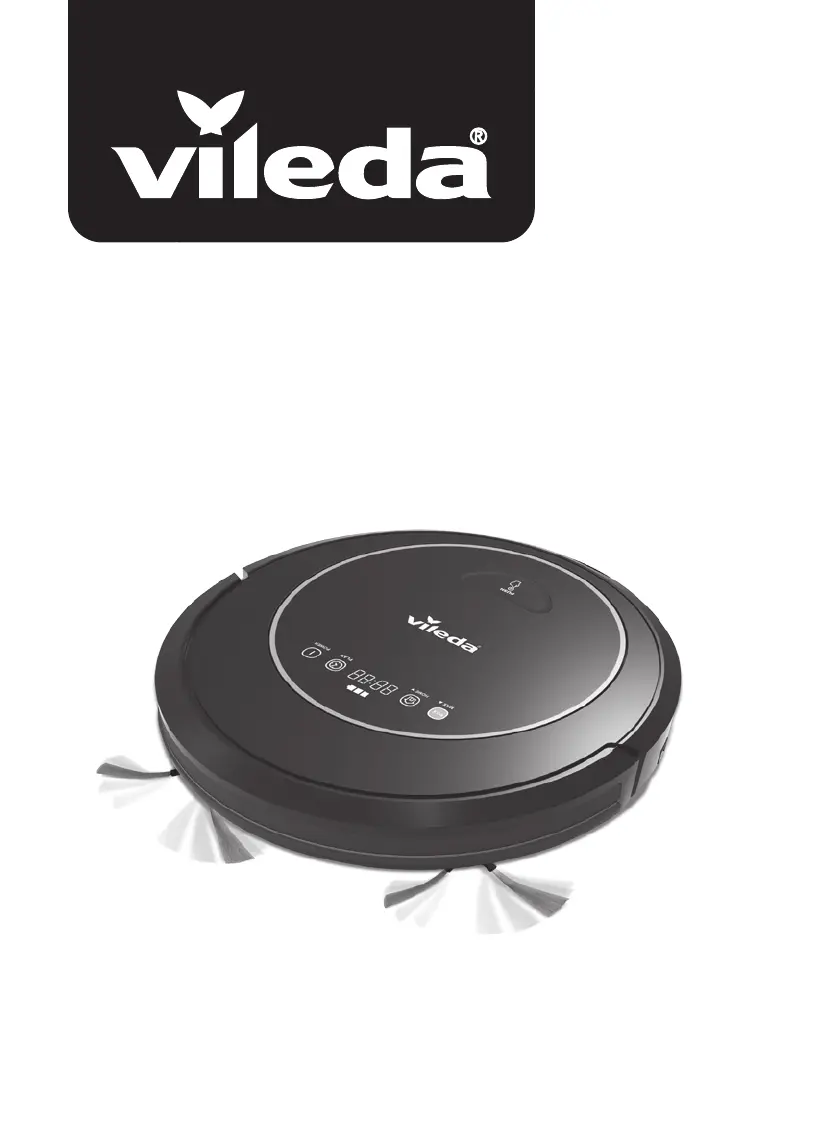
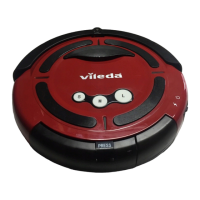
Vileda VR 302 - User Manual

Vileda VR 302
182 pages
Print Icon
To Next Page IconTo Next Page
Loading...
User & care guide • Bedienungs- und Pflegeanleitung
Robot
VR 302

Table of Contents

Other manuals for Vileda VR 302

Questions and Answers

  • B
    Bonnie BranchSep 4, 2025
    What to do if my Vileda Vacuum Cleaner display shows the error code “A / U / B / F”?
    • K
      Katherine Mullen DDSSep 4, 2025
      If your Vileda Vacuum Cleaner's display shows the error code “A / U / B / F”, it indicates that the suction passage is blocked. Clean the suction passage with the main brush.
  • C
    Christopher WilliamsSep 18, 2025
    What to do if my Vileda Vacuum Cleaner won't charge or has low battery after charging?
    • D
      Deborah WilliamsSep 18, 2025
      If your Vileda Vacuum Cleaner isn't charging or has low battery after charging, make sure the main on/off switch on the robot is turned on to enable charging. If the problem persists, it may indicate that the charger or battery is defective.
  • B
    Brandon JonesSep 16, 2025
    How to fix abnormal movement in my Vileda Vacuum Cleaner?
    • T
      thomasscottSep 16, 2025
      Abnormal movement in your Vileda Vacuum Cleaner can be caused by dirty wheels or cliff sensors. Clean the wheels and cliff sensors to resolve this issue.
  • B
    Brooke FullerSep 14, 2025
    Why is my Vileda Vacuum Cleaner having abnormal movement?
    • B
      Brittany StoneSep 14, 2025
      Abnormal movement in your Vileda Vacuum Cleaner could be due to dirty wheels. Clean the wheels. Alternatively, the cliff sensors might be dirty, so clean those as well.
  • S
    Sara HicksSep 12, 2025
    Why is my Vileda VR 302 battery low after charging, or not charging at all?
    • C
      champtonSep 12, 2025
      If your Vileda Vacuum Cleaner has a low battery after charging or cannot charge, ensure the main on/off switch on the robot is turned on to enable charging.
  • C
    Christopher SandersSep 12, 2025
    What to do if my Vileda VR 302 Vacuum Cleaner has low or no suction?
    • C
      Crystal WongSep 12, 2025
      If your Vileda Vacuum Cleaner has low or no suction, it could be due to several reasons. First, empty the dust box if it's full. Second, the filter might be blocked with dirt, so clean it with a brush. Third, check if the suction port is blocked and clear it with a brush. Finally, ensure that the filter is in place; if it's missing, put it back.
  • D
    Derek RodriguezSep 9, 2025
    Why is my Vileda Vacuum Cleaner not running?
    • C
      Cassandra OrtizSep 9, 2025
      Your Vileda Vacuum Cleaner might not be running because the battery is too low. Recharge it for 5 hours. Alternatively, the dust bin may not be inserted; make sure to insert it correctly.
  • J
    Jamie LeeSep 7, 2025
    What does it mean if my Vileda Vacuum Cleaner display shows the error code “E / R / R / O?
    • C
      Chase CollinsSep 7, 2025
      If your Vileda Vacuum Cleaner displays the error code “E / R / R / O”, the main switch is switched off, preventing charging. Turn the main switch on and continue charging the robot.
  • M
    markrodriguezSep 5, 2025
    What to do if my Vileda Vacuum Cleaner display shows the error code “A / U / B / N?
    • G
      Gerald BarkerSep 5, 2025
      If the display of your Vileda Vacuum Cleaner shows the error code “A / U / B / N”, this means the dust bin is not placed in position or the robot is operating without the dust bin. Put the dust bin back in place.
  • A
    Angela TrujilloAug 20, 2025
    Why does my Vileda VR 302 Vacuum Cleaner make an error sound?
    • C
      Christine ByrdAug 20, 2025
      An error sound from your Vileda Vacuum Cleaner can indicate a few issues. If the display shows low power, charge the device. If the robot is stuck, place it in a safe area or clean its bottom sensors. Also, check if the wheels are blocked and clean them if necessary.

Summary

Safety Warnings and Precautions

Understanding Your Robot

Package Contents

Lists all items included in the robot package.

Robot Features and Functions

Details the physical components and their primary purposes.

Operating Your Robot

Charging the Robot Battery

Instructions for charging the robot's battery, including indicators and tips.

Powering On, Off, and Standby

Steps to power the robot on, put it in standby, or turn it off.

Cleaning Modes and Movements

Explains the different cleaning modes and robot movement patterns.

Setting Cleaning Schedules

How to set up automatic cleaning schedules for the robot.

Robot Maintenance Guide

Cleaning the Dust Bin and Filters

Guide to emptying and cleaning the robot's dust bin and filters.

Cleaning Brushes

Instructions for cleaning the robot's main brush and side brushes.

Cleaning Sensors and Wheels

How to clean the robot's sensors and wheels.

Cleaning Driving and Center Wheels

Steps to clean the robot's driving and center wheels.

Battery Removal Procedure

Procedure for safely removing the robot's battery.

Troubleshooting Common Issues

Environmental Disposal and Recycling

Technical Specifications

Product Guarantee Information

Vileda VR 302 Specifications

General IconGeneral
ModelVR 302
BrandVileda
CategoryVacuum Cleaner
Charging Time5 hours
Power Consumption20 W
Cord LengthCordless
Noise Level65 dB
TypeRobotic Vacuum
Dustbin Capacity0.5 L
Battery Life90 minutes

Related product manuals