Program/Adjust a schedule
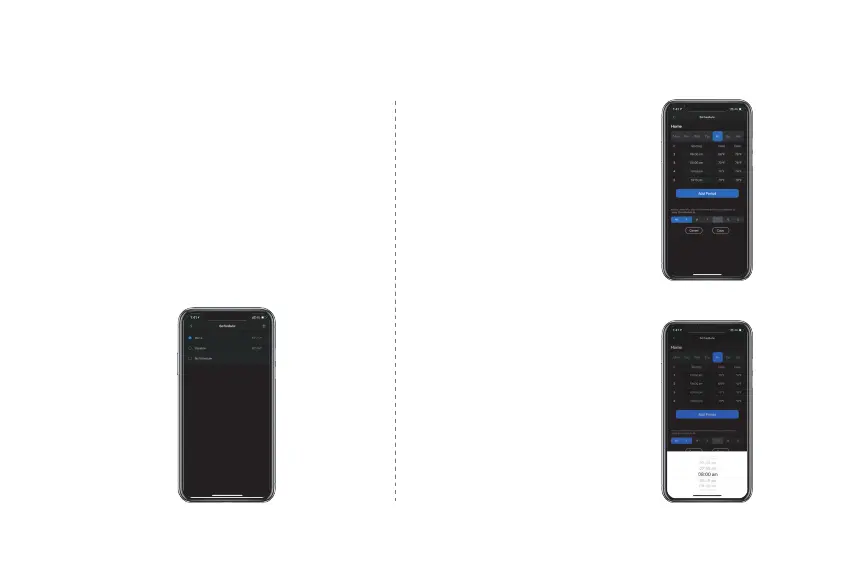
To add a new Schedule, click the plus (+) in
the top right-hand corner, name your
schedule and click OK.
To modify an existing Schedule, select a
Schedule from the list it will change to
programming screen.
If you want to delete an Existing Schedule,
select the schedule and swipe left, select
Delete.
1 .
2 .
3 .
Add a new period
Tap "Add Period" button
and select and set starting
time, heating setpoint and
cooling setpoint.
Edit an existing period
Tap on the starting, heating
or cooling value of the
existing period to edit as you
desire.
38



 To Next Page