Check that your system is off
Step 2
Remove your old thermostat from the wall plate
Step 3
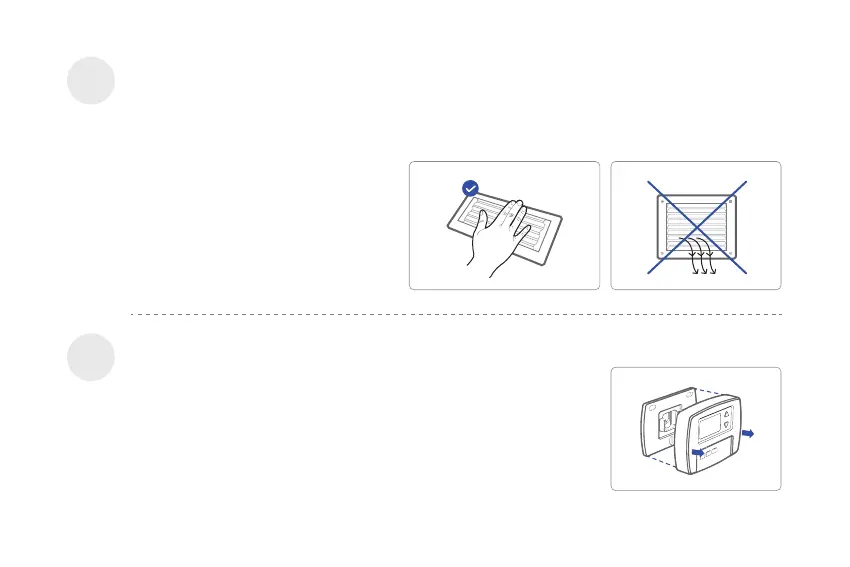
Confirm your system is off by turning on your heat ( during winter ) or your AC ( during summer ). Wait a few
minutes—you should not feel air coming from your vents.
NOTE : If you have a digital thermostat
that has a blank display, skip this step.
Most thermostats allow you to remove the main unit and provide access to
a wall plate which holds the wiring terminals, you can take off the
thermostat by grasping and gently pulling. Some thermostats may have
screws, buttons, or clasps.
NOTE : DO NOT remove any wires from your old thermostat in this
step.
06


 To Next Page