3
苏州万佳电器有限公司
Suzhou wanjia Electric Co.,Ltd.
8. General Operation
(1). Switching the E-bike System mode ON/OFF
To switch on the E-bike system and provide the power supply to the controller,
hold the ON/OFF button for 1s.
To switch off E-bike system, hold the ON/OFF button for 1s. The E-bike system
no longer uses the battery power.
When E-bike system is switched off, the leakage current is less than 1 μA.
When the E-bike is parked for over 15 minutes, the E-bike system switches
off automatically.
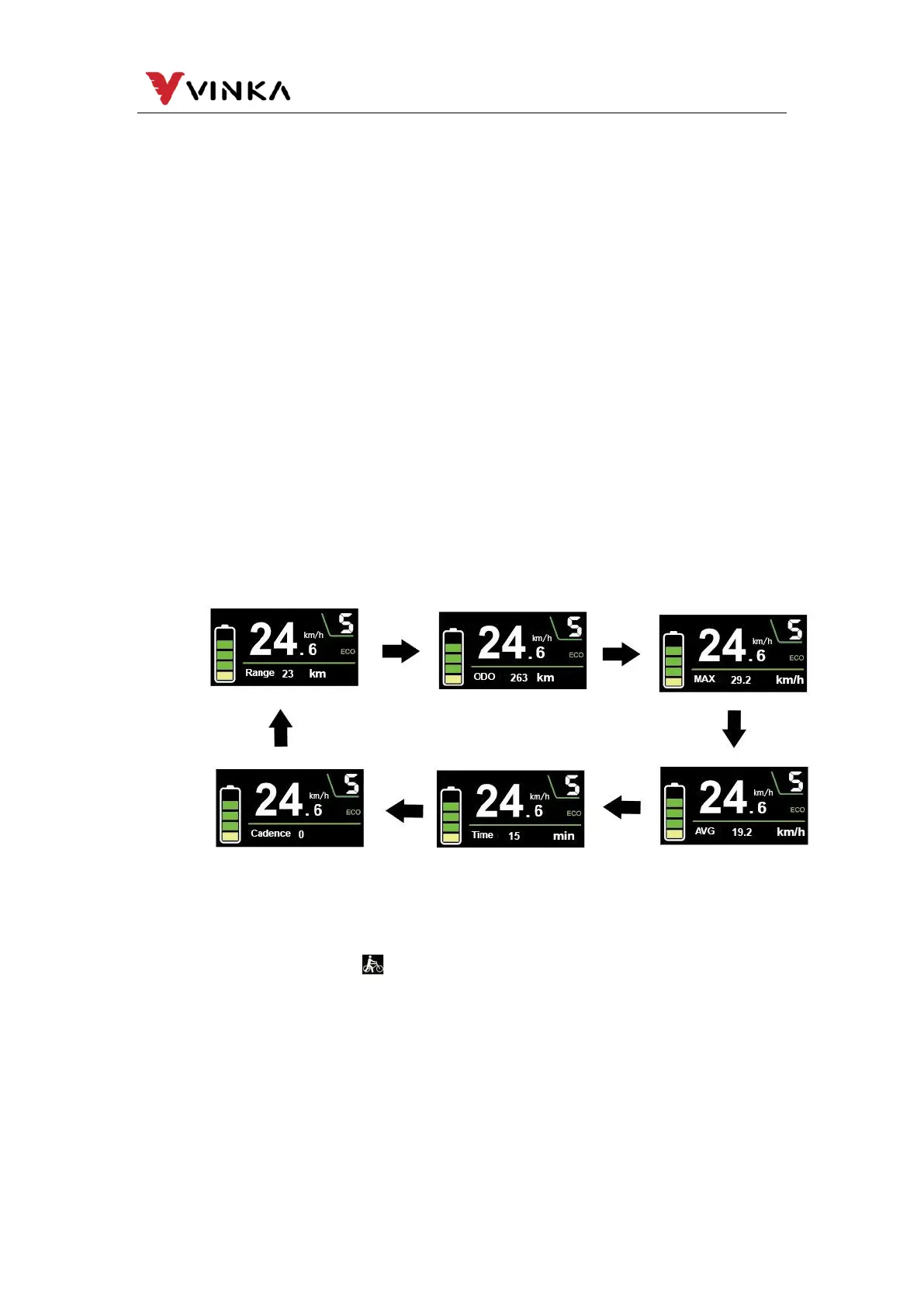
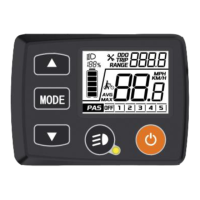
(2). Display Interface
After switching on the E-bike system, the display will show Current Speed、battery
SOC、assist type、Assist-level and Trip Distance by default.
Press (1s) the MODE button can switch Cadence/total mileage/Maximum speed
/average speed/ Riding time and Trip indication.
Press (>1s) the MODE button can switch ECO、TOUR and BOOST.
(3). Switching Push-assist Mode On/Off
To activate the push-assistance function, short press the MODE button and hold
the DOWN button between 3S.The E-bike is activated with a uniform speed while the
screen displays shown “ ”. (Without special settings, the E-bike will start at a
constant speed at a standard speed of 6km/h by default).
The push-assistance function will be switched off as soon as you release the
DOWN button and E-bike gets back to the status before the push-assistance is
engaged.



 To Next Page