10
苏州万佳电器有限公司
Suzhou wanjia Electric Co.,Ltd.
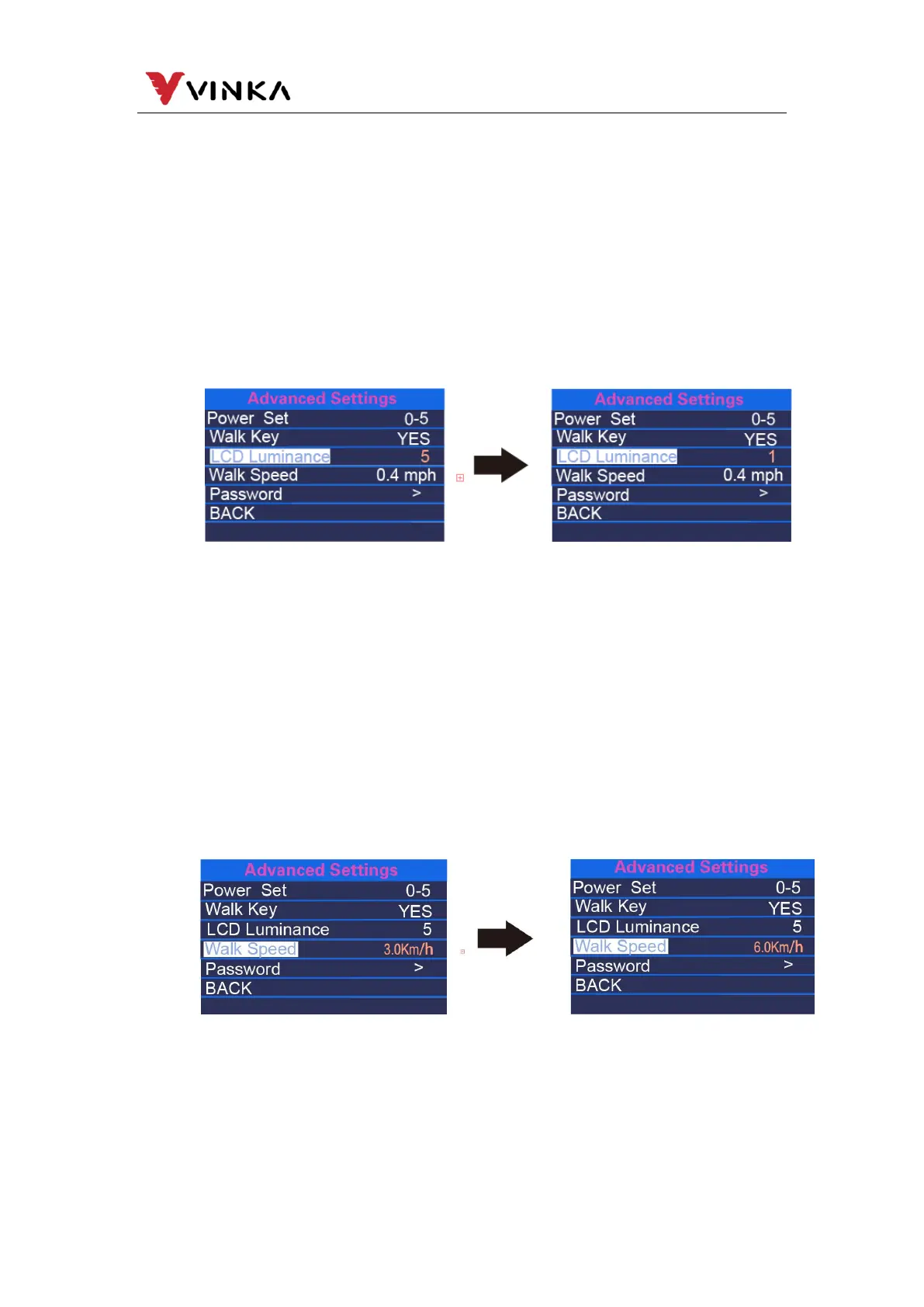
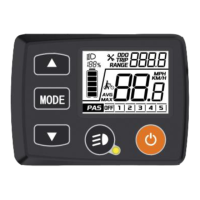
(3). LCD Luminance
LCD Luminance refers to the backlight brightness level of the meter. The
setting range is Level 1~Level 5. Level 1 is the darkest and Level 5 is the brightest.
The default value is determined by the controller when the monitor leaves the
factory. After short pressing the MODE button, you can press UP/DOWN to change
the brightness level. Press the MODE button for more than 1s to confirm and exit the
setting.
(4). Walk Speed
Walk Speed refers to the mode of assisting implementation. The Walk Speed
setting range is 3-6km/h. 3km/h is the minimum speed, and 6km/h is the maximum
walk speed. The standard default speed is 6km/h, and users can manually adjust it
according to their needs. After short pressing the MODE button, press UP/DOWN to
increase or decrease the speed limit to the value you want. Long press the MODE
button for more than 1s to confirm and exit the setting state.
(5). Password
Password refers to the power-on password setting. Short press MODE and
enter the password setting page. After selecting Star Password, short press the



 To Next Page