●Various Parameters Settings (e.g. wheel diameter, speed limit, battery power bar, assist level, current limit,
password enable, etc.)
●Recover Default Settings
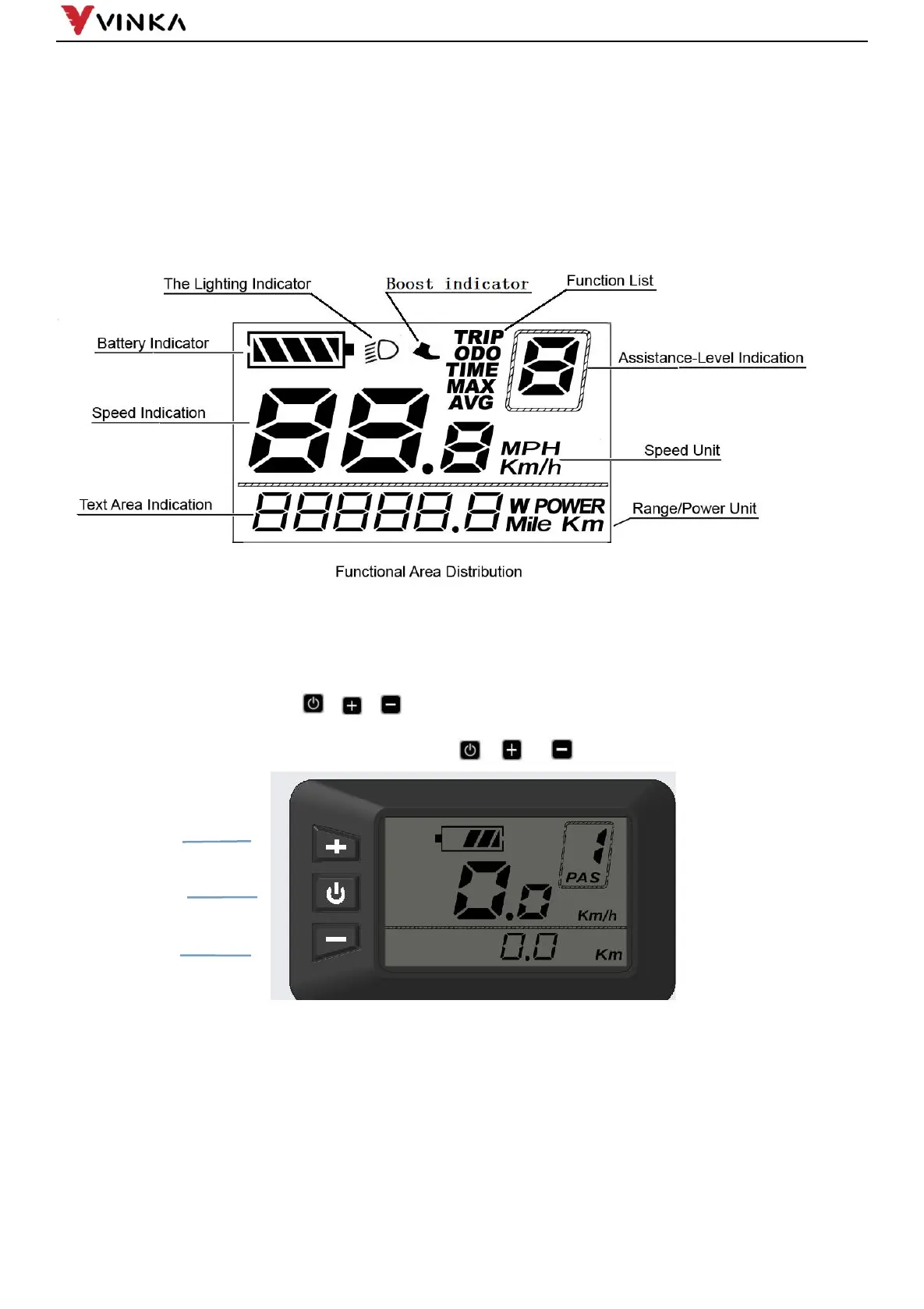
◆Function layout
◆Button Definition
There are three buttons (
, ,
) on DR23 display. In this manual, we use words
ON/OFF, UP, DOWN to represent these 3 symbols ( , , ) .
Installation
DR23 can be mounted on the left side of handlebar close to its grip. Adjust the angle for a good screen view.
Cut off the power before connecting the corresponding connectors between display and controller.
General Operation


 To Next Page