User’s Manual
Creating duplicate configuration
If duplicate configuration is needed, it can be made with Viola Configurator.
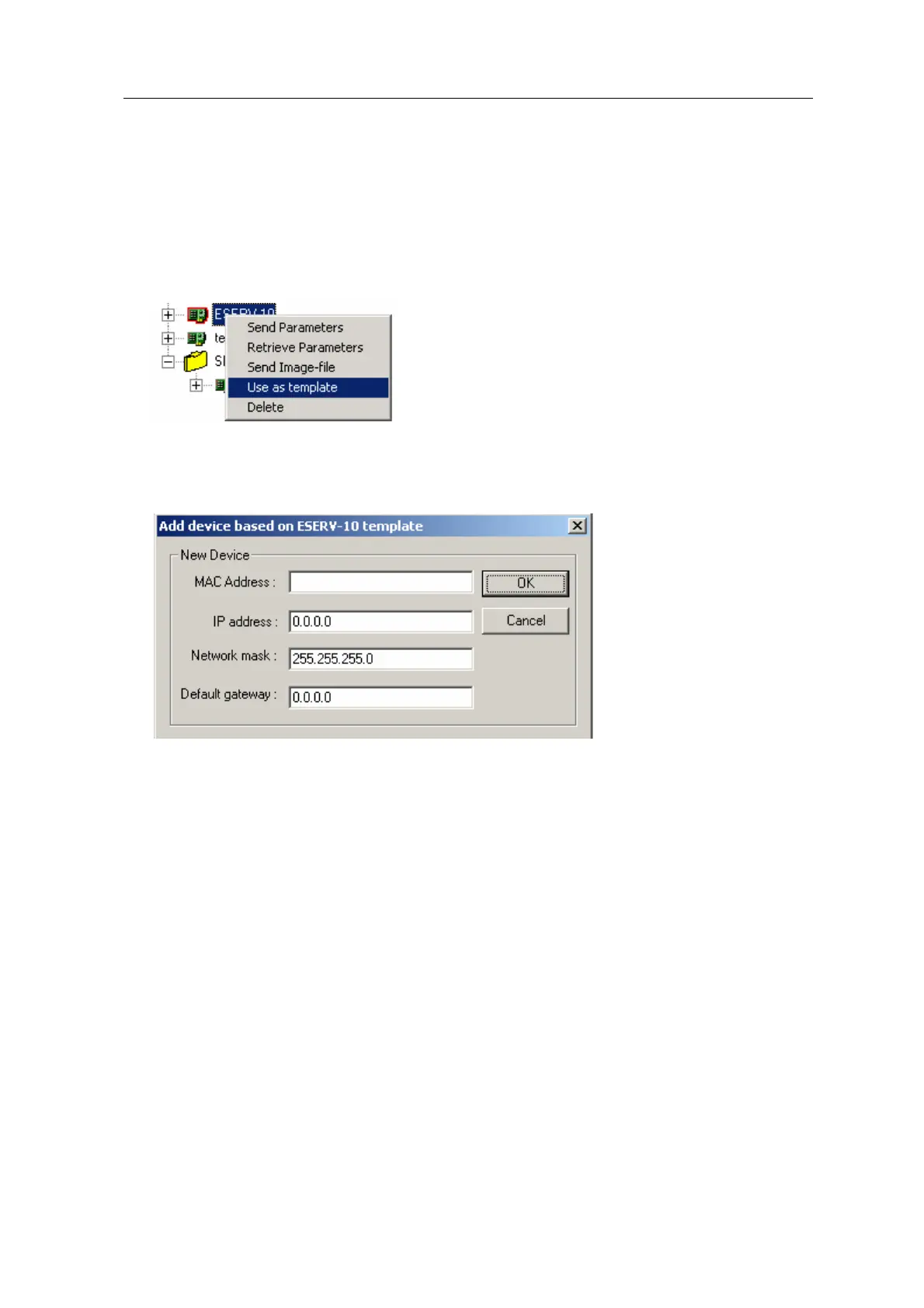
1.Click on right button and select “Use as template”.
2. Assign new MAC address, IP address, default gateway and network mask for duplicate
device.
ESERV-10 19 Viola Systems Ltd.


 To Next Page