- 19 -
4. Main Screen And Basic Operations
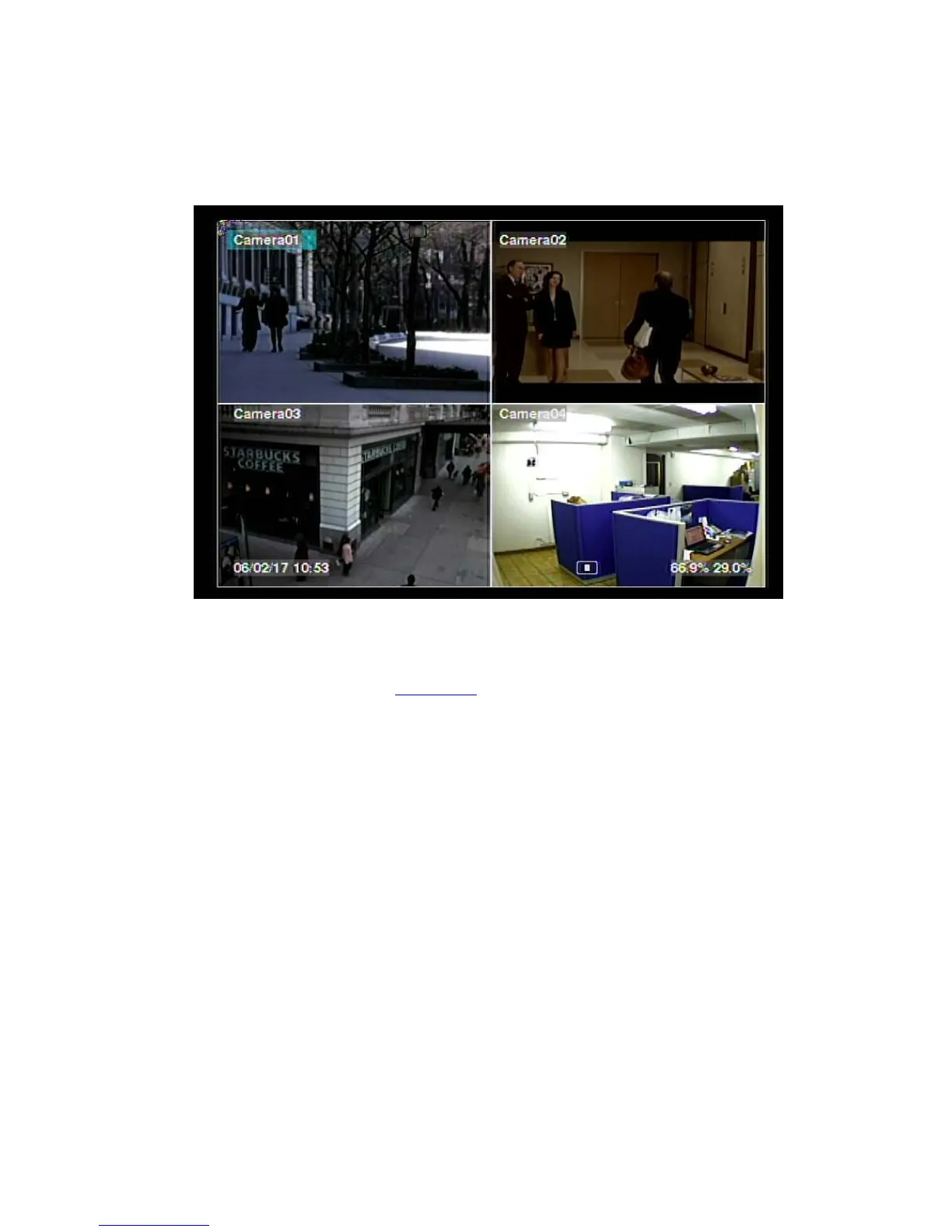
The split-window screen, as shown above, is the main screen after system startup.
There are several types of split-window screens, including 1-Window, 4-Window,
7-Window, and 9-Window. The system will remember the last one before normal
shutdown (as described in Section 5.7
) of the system. In addition to the split
windows, the system time is displayed on the lower-left corner, the system states on
the lower-right corner, and the rolling screen messages, if shown while certain event
occurs, on the lower corner.
The system states, from right to left, are described as the followings:
(1) Normal recording percentage,
(2) Alarm recording percentage,
(3) Mute state – speaker icon shown for not mute, not shown for mute,
(4) X2 state – X1, X2, or X4,
(5) Manual record ON/OFF – REC icon shown for ON,
(6) Backup state – Backup icon shown for backup, and
(7) SEQ display ON/OFF or playback state – SEQ icon shown for SEQ display ON,
other icons for different playback states.
* If mouse is connected, the mouse operation icons will be shown when the mouse
cursor is moved to the bottom of the screen.
* Recording icon, Motion, & Alarm for the camera may be shown after camera title.
36%


 To Next Page