- 29 -
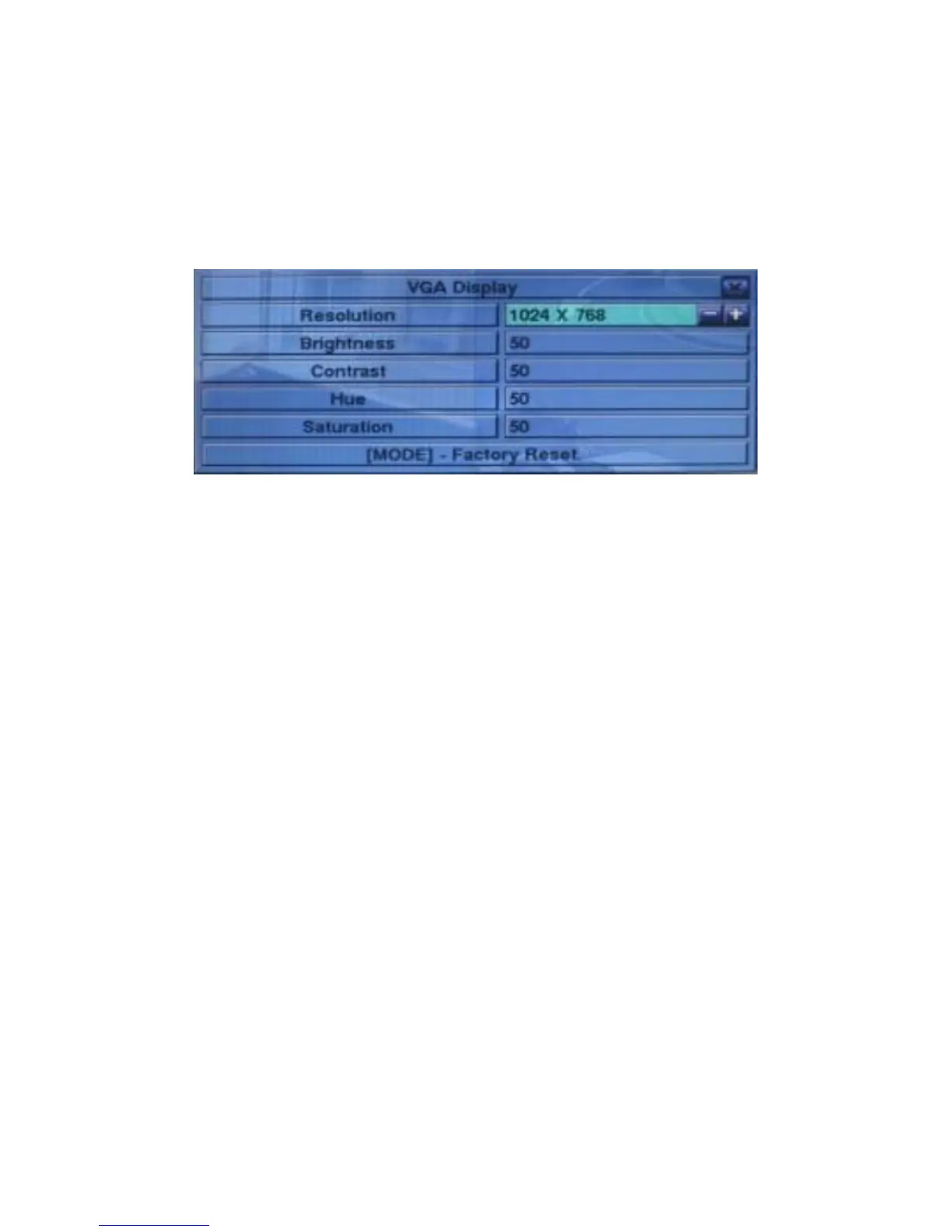
5.4 VGA Display
In Menu display, press ▲▼◄► to change the highlighted option to VGA Display,
and then press ENTER to call up VGA Display dialog as shown.
There are 5 items which can be adjusted, including Resolution (only 1024x768 for
this model), Brightness, Contrast, Hue, and Saturation. The operations are as below:
▲▼(Mouse: Click in the respective item)
Press these buttons to select the items.
+/-
Press these buttons to adjust the selected item.
MODE (Mouse: Left click)
Press this button to restore Brightness, Contrast, Hue, and Saturation to factory
default values.
ESC (Mouse: Right Click)
Press this button to escape from this screen, and return to Menu display. If the
contents have been modified, a Save dialog will be shown to ask the user to save
the changes, press ENTER to exit and save, ESC (Mouse: Right Click) to exit
without saving.


 To Next Page