- 44 -
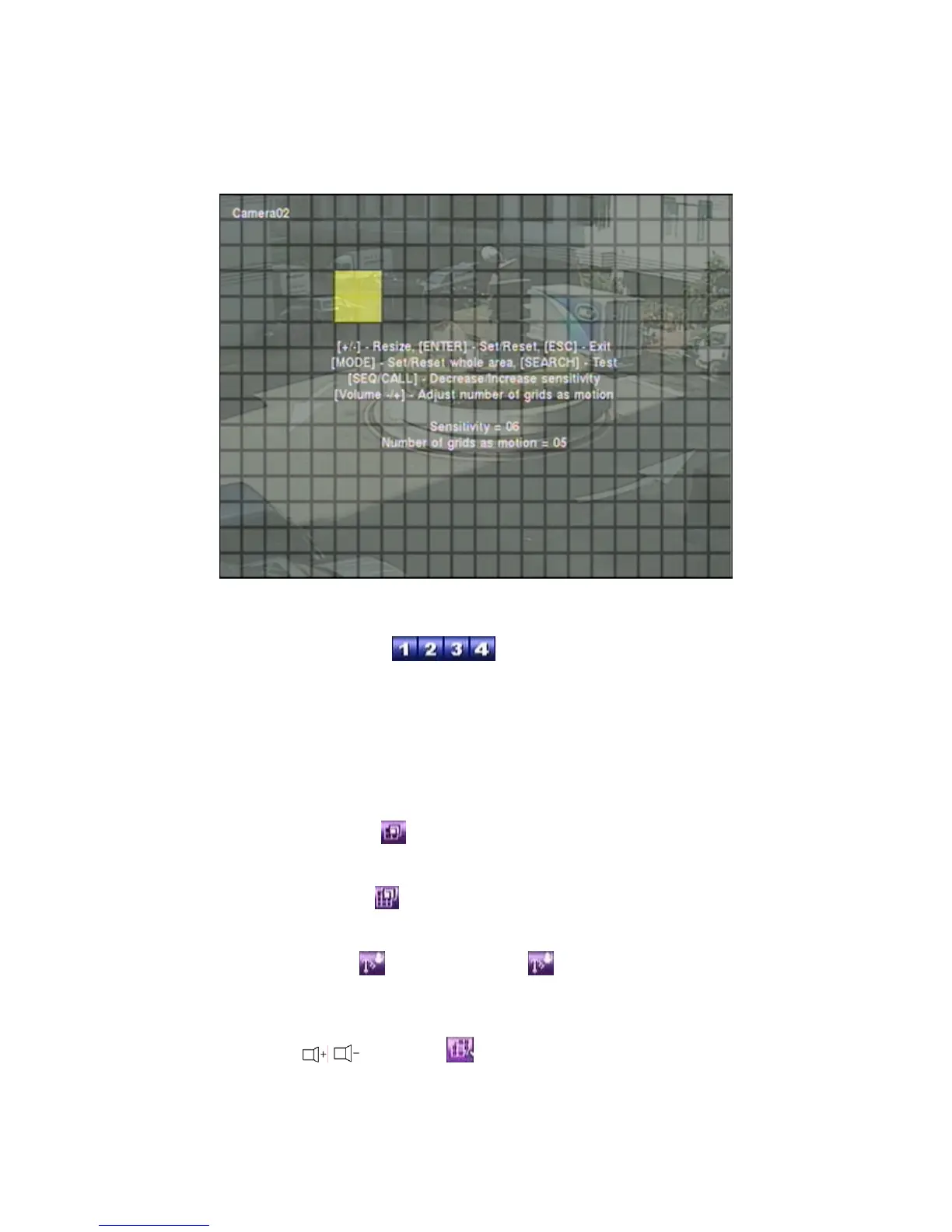
Mask window.
Following is a brief description for the operations:
Numeric (Mouse:
)
Press these buttons to select the camera.
▲▼◄►
Press these buttons to move the Mask window.
+/- (Mouse: Left click and drag)
Press these buttons to resize the Mask window.
ENTER (Mouse:
)
Press this button to set/reset the area under the Mask window.
MODE (Mouse:
)
Press this button to set/reset the whole video area.
SEQ (Mouse:
) / CALL (Mouse: )
Press this button to decrease/increase the sensitivity, 1 – 10, for the motion
detection of this camera.
Vol+/- (
/ ) (Mouse: )


 To Next Page