9
Tips:
For the first time of charging, please use it aer fully charging to protect the baery.
When main machine fails to power on due to low baery level, place it on cleaning
station for charging.
The main machine will start up automatically aer connected to the cleaning
station, and cannot be shut down during charging.
Sweeping/mopping buon:
In stand-by, press for a short period of time, start cleaning
In cleaning, press for a short period of time, pause cleaning
In recharging, press for a short period of time, stop recharging
Recharging cleaning buon:
In in-station stand-by, press for a short period of time, start
cleaning
In in-station cleaning, press for a short period of time, stop
cleaning
Outside-station, press for a short period of time, recharge
In in-station stand-by, press for a long period of time, start air
drying
In in-station air drying, press for a long period of time, stop air
drying
Installation
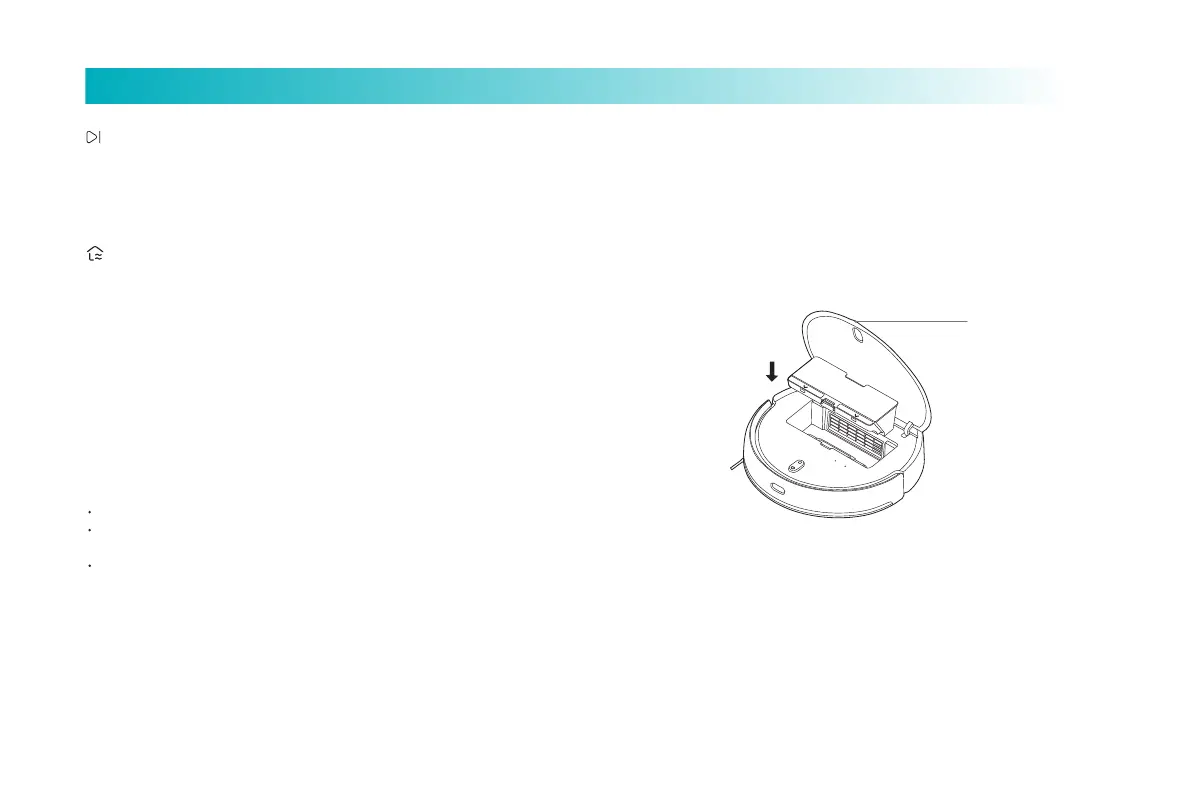
Open the face cover from the opening, put the dust box into the main
machine and make sure that the buckle is fastened securely.
Tips: Clean the dust box regularly to avoid the dirt affecting the cleaning effect.
Install accessories based on the demanded
cleaning mode:
Sweeping mode (install dust box):
Cover opening



 To Next Page