1. In the edition channels screen, Locate the channel you
want to favorite and press "3" in the Keypad.
2. You will notice the sub-menu the favorite order in screen.
3.
Select the desired one of the six favorite order,and press OK.
4. The channel will be marked with the symbol.
5. Repeat step 1,3 and 4 with those channels you want to
favorite.
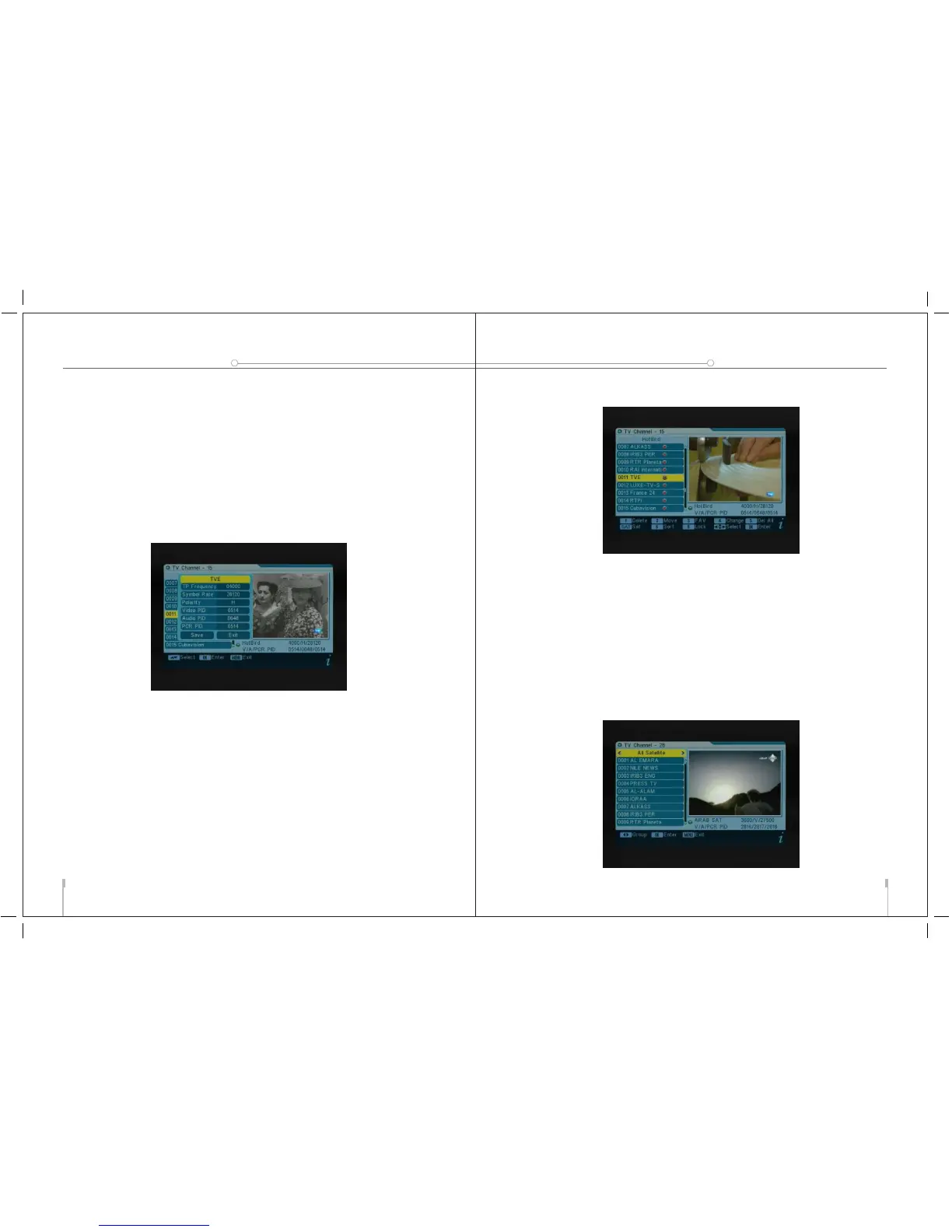
To edit the channel:
1. In the edition channels screen,Locat the channel you want
to edit and press "4" in the Keypad.
2. You will notice the sub-menu in screen.
3. You can press the arrow keys to select and use the numeric
keys to input the value of parameter.
4. Select save to confirm them,otherwise select EXIT to to
back.
To delete the channel:
1. In the edition channels screen,press "5" in the Keypad.
2. All channels will be marked with the symbol "X"
3. To confirm the deletion,press EXIT to exit the edition
channels menu. You will see a confirmation message.
4. Pressing the arrow keys select option "OK" and press OK
to confirm the deletion,or select cancel and press OK to
cancel.
To change satellite
USER’S MANUAL
09
digital satellite meter
10
THE PROFESSIO NAL EQUIPMENT
digital satellite meter
USER’S MANUAL



 To Next Page