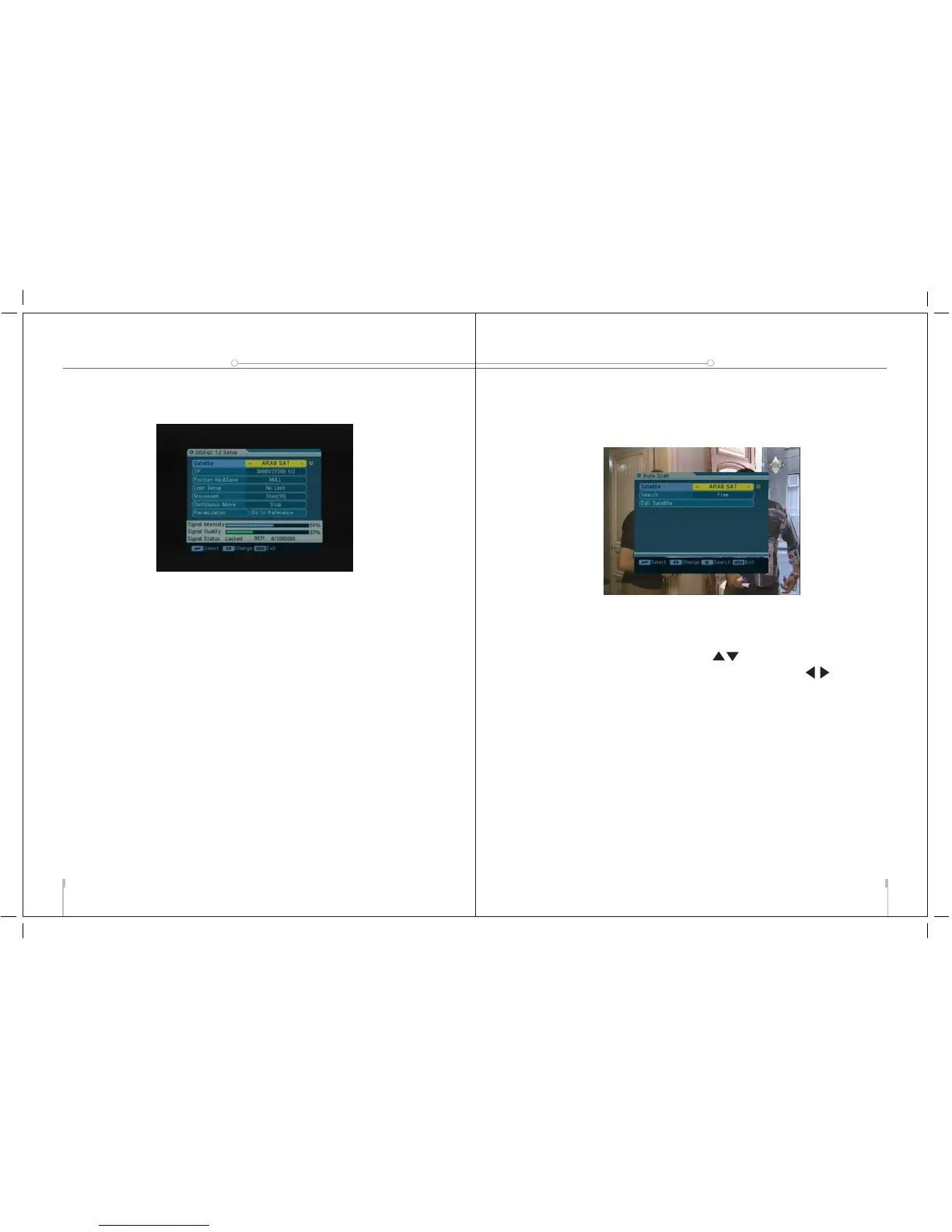
the STB provides DiSEqC 1.2 to let you have exact information
to direct you antenna toward a satellite.
Satellite: Select the desired satellite.
TP: Select the desired transponder.
Position No.&Save: Select the position No. or null.
Limit setup: Setting of limits for the antenna.
Movement: The satellite can now be turned into the desired
direction using the arrow buttons.
Continuous Move: The satellite can be continuous moved
to the desired direction.
Recalculation: Press OK to recalculate.
Go to Reference: A dtarting point for the satellite search
function can be selected by pressing the OK button.
Add TP: Add a new transponder for the current satellite.
Delete TP: Delete the current transponder.
2. Installation
2.1 Auto Scan
1. Press OK to enter the Auto Scan menu.
2. Press OK to deploy the satellite list. Select the satellite
you want to scan with pressing ,The satellite will be
marked with the symbol "X".You can also press to
select the satellite.
3. Select the desired mode for searching and then press OK
to start search channel automaticly.
4.
You can also enter the Edit satellite to reset the current
satellite.
USER’S MANUAL
13
digital satellite meter
14
THE PROFESSIO NAL EQUIPMENT
digital satellite meter
USER’S MANUAL



 To Next Page