EasyManua.ls Logo

Viper 50000406 - User Manual

Viper 50000406
84 pages
Print Icon
To Next Page IconTo Next Page
Loading...
B
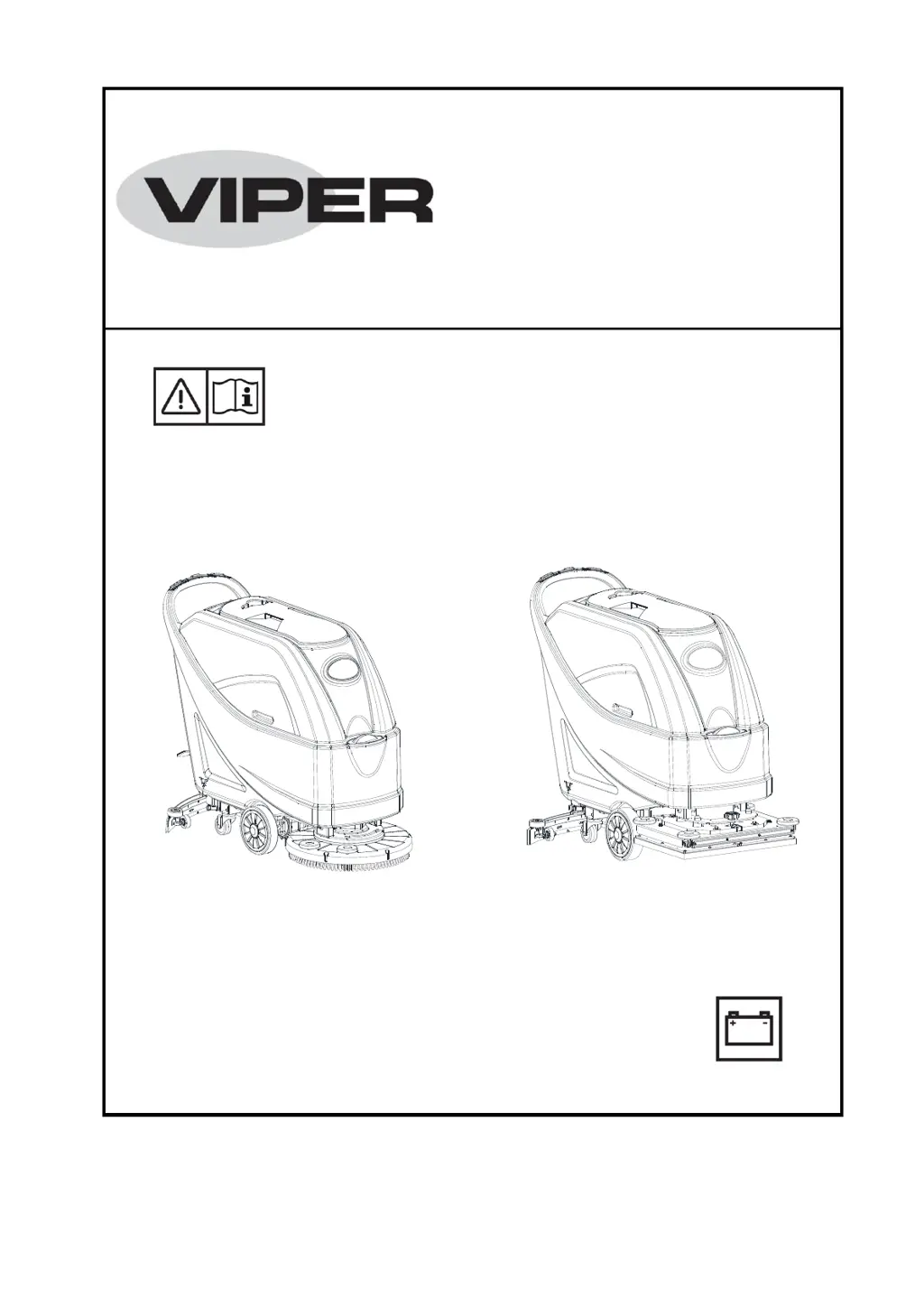
USER MANUAL
AS5160 & AS5160T / AS516TO
AS5160 & AS5160T
AS516TO
Nilfisk Inc.
9435 Winnetka Avenue North
Minneapolis, MN 55445
www.usviper.com
VS12002
Rev 01
17APR 2018
Model: 50000401 / 50000406 / 50000539

Table of Contents

Questions and Answers

  • S
    Scott HolmesAug 19, 2025
    What to do if the recovery water vacuuming is insufficient in my Viper 50000406?
    • N
      Nancy BurkeSep 12, 2025
      If the recovery water vacuuming of your Viper Scrubber is insufficient, several factors could be at play. First, check if the recovery water tank is full and empty it if necessary. Next, ensure the hose is properly connected to the squeegee. Inspect the vacuum grid for clogs or a stuck float and clean as needed. Examine the squeegee for dirt or worn/damaged blades, cleaning or replacing them as necessary. Finally, verify that the tank cover is correctly closed, the gasket is intact (replace if damaged), and the bend tube is free of clogs.
  • H
    Heidi ThomasAug 21, 2025
    Why does the squeegee on my Viper Scrubber leave marks on the floor?
    • N
      Nicholas PatelAug 21, 2025
      If the squeegee on your Viper Scrubber leaves marks on the floor, start by checking for and removing any debris under the squeegee blades. If the blades are worn, chipped, or torn, replace them. Also, ensure that the squeegee has been properly adjusted using the adjustment knob.
  • M
    monica51Aug 23, 2025
    How to fix Viper 50000406 when the motors don't work and no warning light is on?
    • A
      Alexis FryAug 25, 2025
      If the motors of your Viper Scrubber do not work and no warning light turns on, it could be due to a disconnected battery connector. Ensure the battery connector is securely connected. Alternatively, the batteries might be completely discharged, in which case you should charge them.
  • Z
    zmorganAug 26, 2025
    Why are the 3 battery charge indicators flashing simultaneously on my Viper 50000406 Scrubber?
    • K
      Kevin TrevinoAug 26, 2025
      If the 3 battery charge indicators on your Viper Scrubber are flashing simultaneously, it may be due to brush motor overload. Try using less aggressive brushes. Alternatively, there might be foreign materials, such as tangled threads, preventing the brush from rotating. Clean the brush hub to resolve this.
  • J
    Jeffrey MendozaAug 27, 2025
    What to do if the brushes don't work and the red warning light is on for Viper 50000406 Scrubber?
    • J
      Jay NicholsAug 27, 2025
      If the brushes on your Viper Scrubber do not work and the red warning light is on, the batteries may be discharged. Charge the batteries to resolve this issue.
  • M
    Michael AdamsAug 30, 2025
    What to do if the solution flow to the brushes is insufficient in Viper 50000406?
    • A
      April WilliamsAug 30, 2025
      If the solution flow to the brushes of your Viper Scrubber is insufficient, the solution/clean water filter might be dirty. Clean the filter to ensure adequate flow.
  • A
    ashleewilsonAug 31, 2025
    What to do if my Viper 50000406 Scrubber does not move?
    • K
      kfryeSep 1, 2025
      Turn the ignition key to “0”, then try to start the machine again without pressing the switches.
  • L
    Lisa LopezSep 3, 2025
    What to do if the Viper Scrubber's vacuuming is insufficient?
    • J
      John RoseSep 3, 2025
      Insufficient recovery water vacuuming in your Viper Scrubber can occur for several reasons. The recovery tank might be full, so try emptying it. The hose might be disconnected from the squeegee, so ensure it is properly connected. Also, the vacuum grid could be clogged, or the float stuck, requiring you to clean the grid and check the float. The squeegee itself could be dirty, or the blades worn, so clean and inspect the squeegee. Finally, the tank cover might not be sealed, the gasket damaged, or the bend tube clogged; ensure the cover is correctly closed, replace the gasket if needed, and clear any blockage in the bend tube. Also, the recovery water tank might be dirty, so clean it.
  • P
    patriciataylorSep 5, 2025
    Why aren't the brushes working and the red light is on for my Viper Scrubber?
    • D
      diaztiffanySep 5, 2025
      If the brushes on your Viper Scrubber aren't working and the red warning light is on, the batteries may be discharged. Try charging the batteries to resolve this issue.
  • R
    Robin Ortiz DDSSep 7, 2025
    How to fix Viper 50000406 when motors don't work and no lights are on?
    • J
      Jamie ThomasSep 7, 2025
      If the motors on your Viper Scrubber aren't working and no warning lights are on, it could be due to a disconnected battery connector. Ensure you connect the battery connector. Alternatively, the batteries might be completely discharged, so try charging them.

Summary

Safety Information

Visible Symbols on the Machine

Explains warning symbols displayed directly on the machine for safe operation.

General Safety Instructions

Provides critical warnings and cautions for preventing damage and injury during operation.

Machine Description and Components

Control Panel (Figure 2)

Details the function and location of all controls, switches, and indicators on the panel.

Technical Parameters

Operating Guide

Battery Check;Setting on a New Machine

Steps to inspect, connect, and set new batteries, including initial charging checks.

Battery Installation and Type Setting (WET;GEL;AGM)

Guide to installing batteries and configuring the machine/charger for specific battery types.

Machine Start and Stop

Steps for safely starting and stopping the machine, including pre-operation checks.

Stopping the Machine

Detailed steps for safely shutting down all machine systems and turning off the ignition.

Machine Operation (Scrubbing and Drying)

Instructions for performing the scrubbing and drying functions of the machine.

Battery Discharge During Operation

Explanation of battery status lights and advice on managing battery charge for longevity.

Maintenance Procedures

Battery Charging

Charging with Installed Battery Charger

Instructions for connecting the charger, monitoring status lights, and completing the charge.

Brush;Pad Cleaning

Solution Filter Cleaning

Squeegee Cleaning

Squeegee Blade Check and Replacement

Tank and Vacuum Grid Cleaning with Float, and Cover Gasket Check

Fuse Check and Replacement

Troubleshooting Common Issues

Viper 50000406 Specifications

General IconGeneral
BrandViper
Model50000406
CategoryScrubber
LanguageEnglish

Related product manuals