9
© 2002 directed electronics, inc.
rreemmoottee ccoonnttrrooll ffuunnccttiioonnss
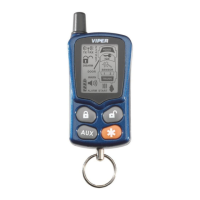
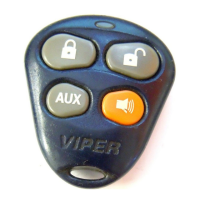
The remote control buttons are used to send commands to the
system. The descriptions below reflect the standard configuration
for this system. The buttons can be custom configured for the
user’s specific needs by the installer.
standard button configurations
Button
The System Arm and Multi-Level Security Arming functions are
controlled by pressing this button for one second.
Button
The System Disarm and High Security Disarm functions are
controlled by pressing this button for one second.
Button
Silent Mode™ and an optional auxiliary function are controlled
by this button. Silent Mode works by pressing this button for less
than one second before arming or disarming. An optional auxil-
iary function, such as trunk release, can be controlled by pressing
this button for 1.5 seconds.
The auxiliary output controls __________________________.
Button
The panic feature is controlled by pressing this button for two
seconds.
➜



 To Next Page