27
© 2002 directed electronics, inc.
To enter or exit Valet Mode:
1. Turn the ignition on.
2. Turn the ignition off.
3. Press and release the Valet
switch within 10 seconds.
The status LED will light solidly if you are entering Valet Mode,
and it will go out if you are exiting Valet Mode.
The remote will not generate a Page Notification when entering
or exiting Valet mode using the Valet switch.
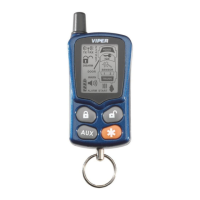
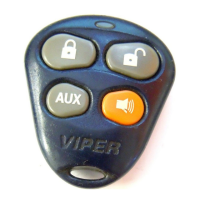
To enter or exit Valet Mode using the transmitter:
1. Open any vehicle door.
2. Press .
3. Press .
4. Press again.
The status LED will light solidly if you are entering Valet Mode,
and it will go out if you are exiting Valet Mode. The remote
control will generate alarm/disarm Page Notifications since the
observing buttons are used when entering and exiting valet
mode. The status LED is the only way to ensure the system has
entered/exited valet mode.



 To Next Page