32
Viscount Chorum
User Manual
During the edit the stop will be on and can be played for better, quicker adjustment. Other stops can also be
switched on to assess the overall effect of the changes. To quit the function and save the values press [EXIT].
The changes made will be automatically saved in the current organ style.
6.3 SELECTING THE ORCHESTRAL VOICES (ORCHESTRA function)
As described in chap. 2, Chorum includes a group of orchestra sounds. Depending on the model, these voices
are either controlled by dedicated orchestra stops, on the front panel inside the ORCHESTRA section, or by the
normal organ stops, that can be assigned to orchestra sounds. A full list of these stops for each Chorum model
can be found on the website www.viscountinstruments.com.
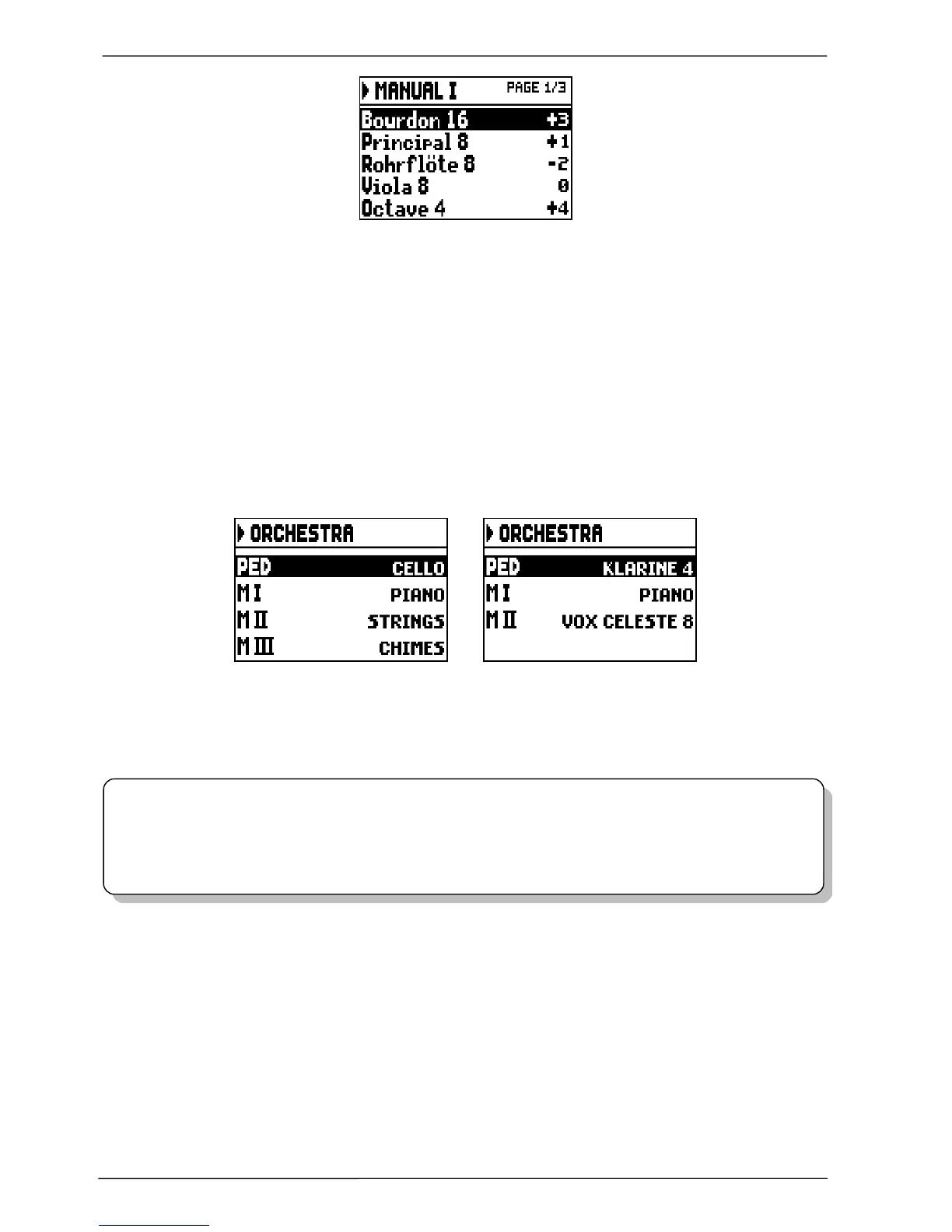
To select an orchestra voice, access the STYLES menu and then select the ORCHESTRA field. The display
shows:
Three-manual models Two-manual models
Use the buttons [VALUE +] and [VALUE -] to select a stop for each section. The currently selected stop lights
up, making it easier to find.
To quit the function press [EXIT]. The changes made will be automatically saved in the current organ style.
NB
Any divisional or general combination and Tutti can recall orchestra voices; this means that the
stops can be used to activate different voices, according to the current combination/Tutti. To save
orchestra voices to combinations, the corresponding option must be activated through the
COMBINATIONS













 To Next Page