Serial Communication
Serial Ports Configuration
VT200/220 Technical Manual, Rev 1.00.01 49 Doc # TM-VT200/220-EN
6 Serial Communication
Communication and printer parameters can be set in the SETUP 2 and SETUP 3
submenus of the SETUP menu.
6.1 Serial Ports Configuration
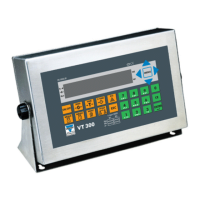
VT200/220 has two serial ports, designated port 1 and port 2:
Port 1 is an RS232 port.
Port 2 is an optional port installed on order, and can be either RS232 or RS485.
6.1.1 RS232 Serial Port
The port is used to connect to serial printers or personal computers.
General Asynchronous serial ASCII, RS232C standard, full duplex.
Protocol 1200, 2400, 4800 or 9600 baud rate, 1 start bit, 8 data bits/no parity or 7 data bits/odd
or even parity, 1 stop bit.
Handshake DTR BUSY per character for fanfold printers or REQUEST PAPER END STATUS for EPSON
TM-295 slip printer.
Connection Cable gland, stainless steel enclosure or DB9 male on rear panel, aluminum enclosure
(J1 or J3). Three-conductor shielded cable, max distance 15m.
Tx = Pin 3
Rx/DTR = Pin 2
GND = Pin 5
6.1.2 RS485 Serial Port
Used to connect to a host computer, remote printer, remote display, etc.
General Asynchronous serial ASCII, RS485 half duplex.
Protocol 2400 to 57600 baud, 1 start bit, 8 data bits/even or no parity 7 data bits/even parity, 1
stop bit.
Connection Cable gland, stainless steel enclosure or DB9 female on rear panel aluminum enclosure
(J3). Two-conductor twisted-pair shielded cable, max distance 1000m. A termination
resistor (120R) may be connected by shorting pins 8 and 9.
A = Pin 6
B = Pin 7


 To Next Page