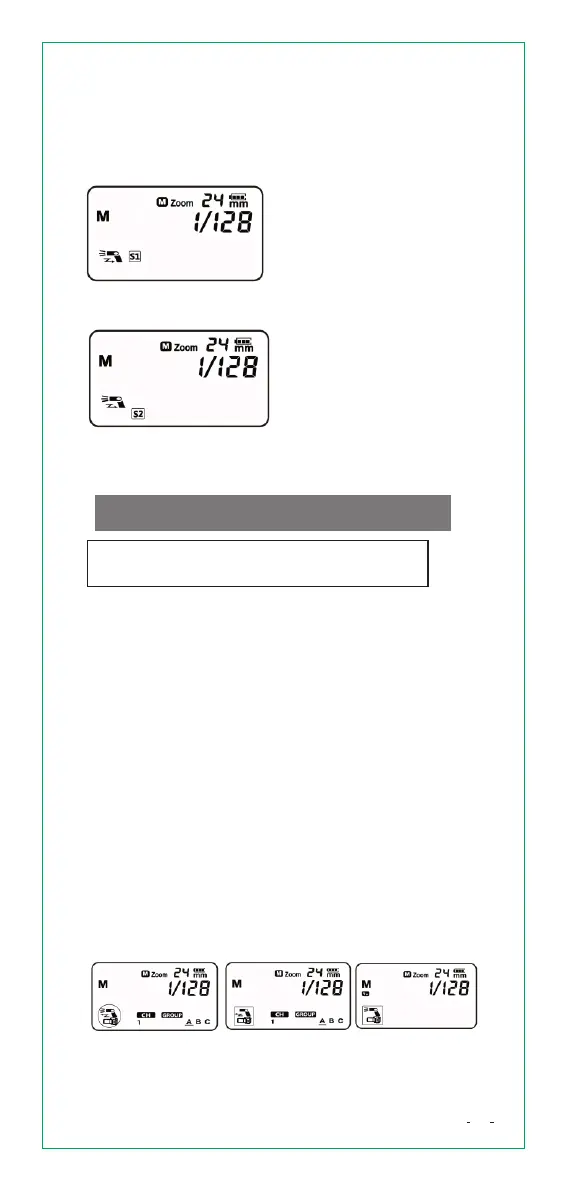
S1 is suitable for manual
flash environment. The
master flash should set at
<M> manual flash mode.
In <S1> mode,the slave
unit will auto flash
immediately when the
master flash fires.
S2 is suitable for TTL flash
environment. The master
flash should set at <TTL>
flash mode. In S2 mode,
the unit will neglect the
pre-flash and only fire in
response to the second
main flash from the master
unit.
Set the camera's shooting mode to P/Tv/
Av/M/B
WirelessFlashShooting
This product supports wireless flash and functions
as either a master or a slave unit. “Master flash”
refers to the flash attached on a camera. “Salve
unit” refers to the one will be controlled by the
master flash. The master flash is able to control two
or three slave groups. Any flash settings in <ITTL>
and <M> mode on master unit will be automatically
transmitted to the slave units. You do not need to
operate the slave unit while shooting.
SetMasterunitandSlaveunit
Press and hold [M/S] button for 3 seconds to switch
between “Master unit” and “Slave unit”.
ThreeKindsofMasterControlModes
When the flash is used as a master unit, please find
three kinds of flash control mode below.
Selectcontrolmodeofmasterunit
Repeatedly press [M/S] button to switch three kinds
of Master control mode.
SetS1/S2
Hold and press [M/S] button for 3 seconds and set
to slave unit mode. Repeatedly press [M/S] button
to choose S1 or S2.
Ⅰ Ⅱ Ⅲ
12


 To Next Page