OverheatingProtection
After a long shooting session, overheating protection
will be active. <> appears on the LCD screen and
Slave Flash Ready Indicator blinks in red. Recycling
time of the flash will increase automatically. At least
10 to 20 minutes is advised either without flashing
or at substantially reduced rate.
When rapid shooting is needed, please use 1/4
output power or less, to avoid overheating influence.
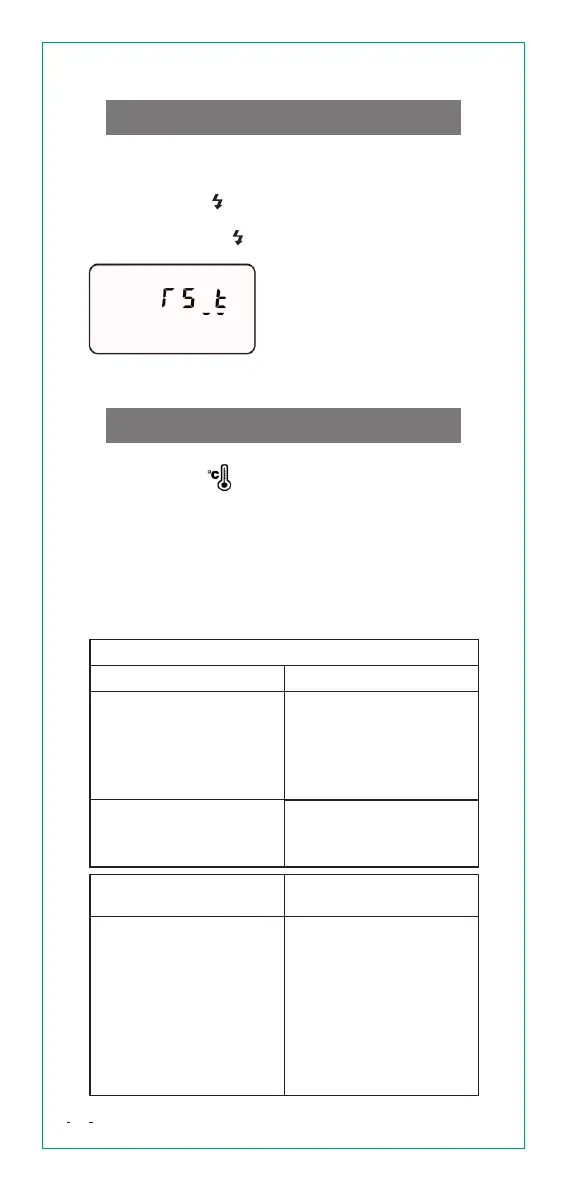
ResetFactorydefaults
A factory restore erases the information and settings
on your speedlite in an attempt to restore the device
to its original manufacture settings.
Press and hold [ H/FN] button for 3 seconds until
< Fn> appears.
Repeatedly press [ H/FN] button until the following
icon apperas on the screen
Press [Confirm Button] to restore the device to its
original manufacture settings.
Model No.
Compatible
cameras
Guide No.
VS-765
Approx. 58(at 105mm
flash coverage, ISO100
in meter)
D4/D600/D610/D700/
D750/D7000/D7100/
D7500/D800/D810/D90
Type
Specifications
Color Temperature
5600±200K
Flash coverage
24-105mm (14mm
when using wide panel)
Automatic zoom
(Automatically sets
flash coverage
depending on shooting
angel of view and image
sensor size)
Manual zoom
19


 To Next Page