FlashMode-ITTLAutoFlash
In ITTL mode, flash-metering system of the camera
determines the accurate flash exposure for the
subject and the background.
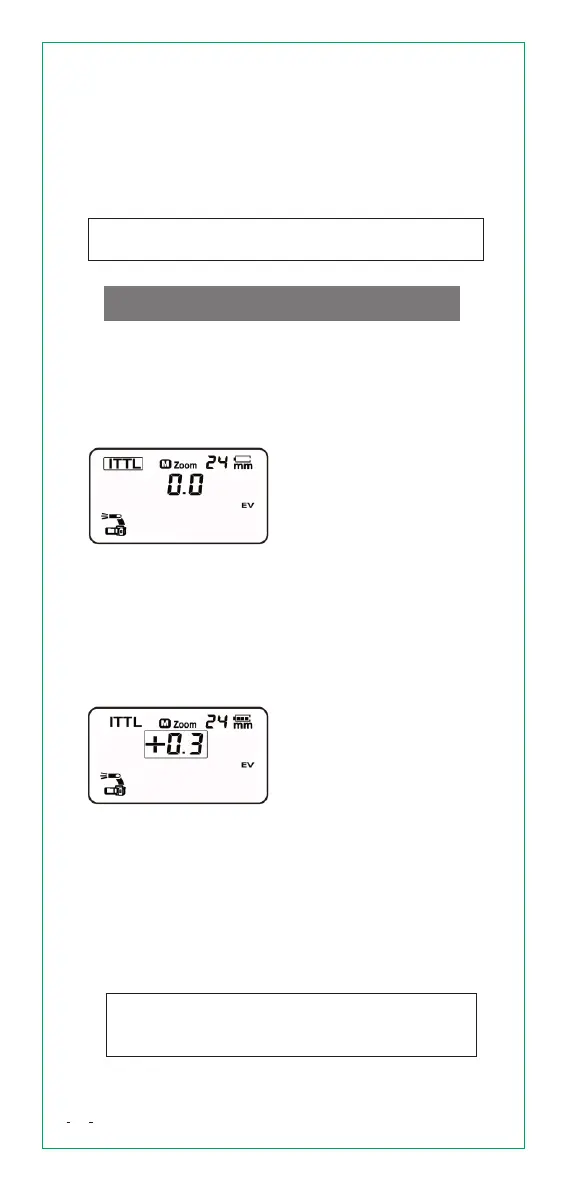
Press [MODE] button and
set to <ITTL>.
Press camera shutter
halfway to focus. The
shutter speed and
aperture are displayed
in the viewfinder.
Press camera shutter
completely, the flash
will fire and the picture
will be taken.
1)S etSpeedlitein
ITTLMode
·
·
·
2)S etFlashExposure
Compensation
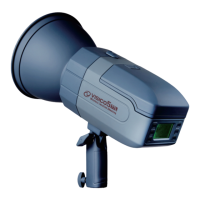
The FEC range is
adjustable from -3.0
to +3.0 in precision
1/3 f-stop increments.
FEC is very useful to make
quick minor adjustment of
exposure of the TTL
system, and create ideal
exposure as you like.
·
07
of idle use. To wake up the Speedlite again,press
camera shutter halfway or press any flash button.
When set as a slave flash, it will go to sleep mode
after approx. 60 minutes of idle use.
To wake up the Speedlite again, press any flash
button.
When use as off-Speedlite, disabling “Auto
Power Off” is recommended. (Set Fn 01 to <oF>)
Turn [Select Dial] to adjust
FEC value. “+” means more
exposure. “-“ means less
exposure. Cancel the flash
exposure compensation,
set the amount to “0.0”.
·
When FEC is +3.0, if still underexposure,
please adjust setting on your camera in terms
of shutter speed, aperture, ISO, etc.


 To Next Page