08
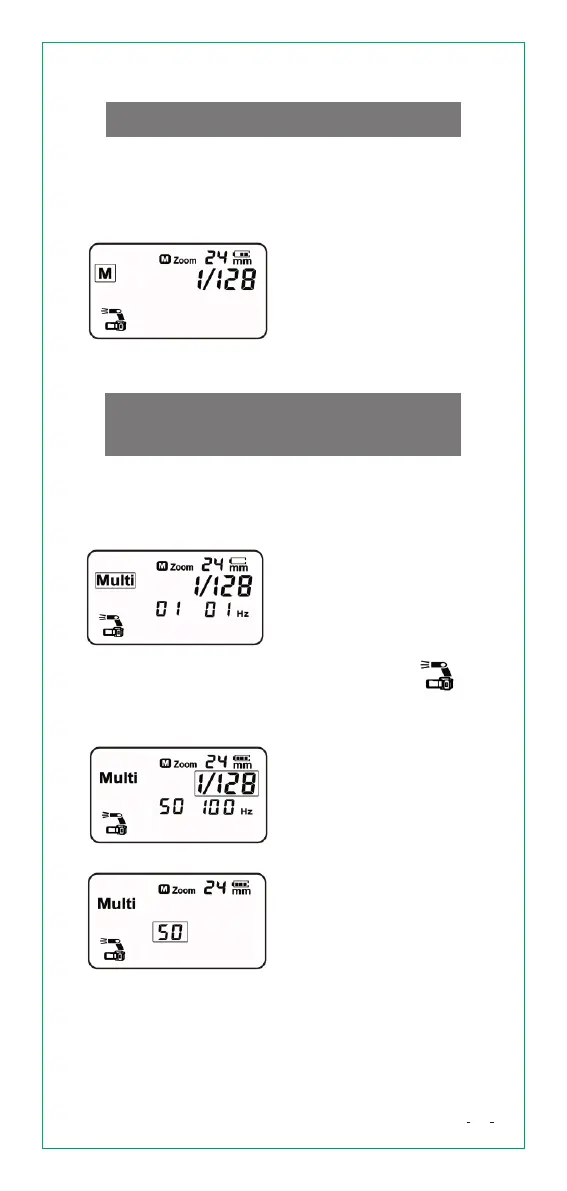
1) Set flash mode <M>
Press [MODE] button and
set to <M> .
2) Set flash output
power
Turn [Select Dial] to
choose a desired flash
output power.
FlashMode-MultiStroboscopic
Flash
According to one shutter signal, the flash will
generate a series of fast flashes, and multiply images
will be integrated in one picture. It is useful to capture
trajectory of a moving object.
FlashMode-Mmanualflash
When use flash in manual mode, flash output power
is adjustable from 1/1 to 1/128 (8 f-stops) in 1/3 f-stop
increment. To obtain a correct flash exposure, use
a hand-held flash meter to determine the required
flash output.
1) SetFlashMode
<Multi>
Press and hold [M/S] button
for 3 seconds and set to
master unit mode.
Repeatedly press [M/S]
button and set to < >
Press [MODE] button,
and set to <Multi>
2)SetFlashOutput
Turn [Select Dial] to set a
desired flash output power.
Flash output power is
variable from 1/4 to 1/128.
3)S etnumberof
flashes
Press and hold [Confirm
Button] for 3 seconds and
set to <number of flashes>.
Turn [Select Dial] to choose
desired number of flashes
(1-50).


 To Next Page