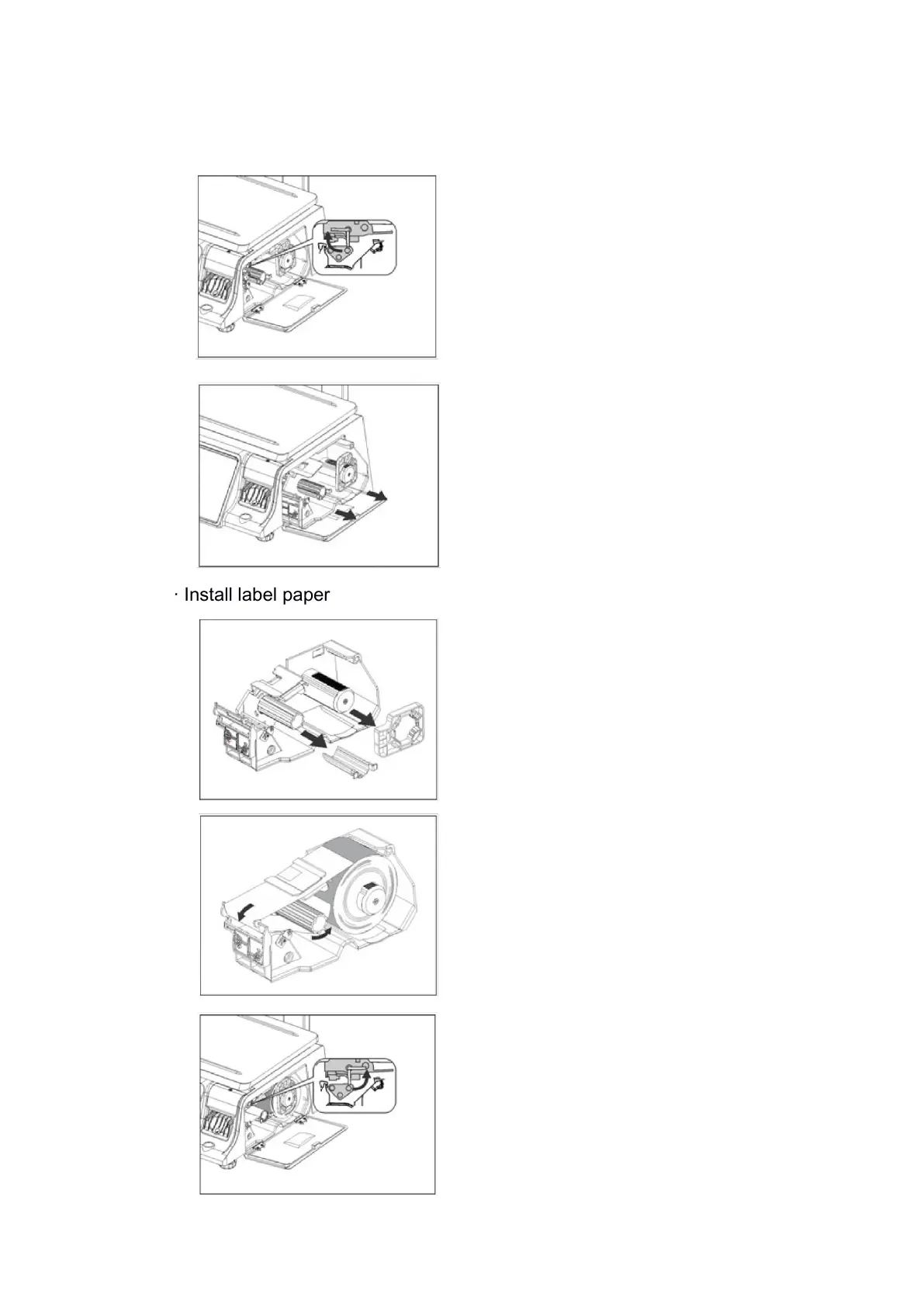
· Remove label box
· Install label paper
2. Fasten the two grooves with
your fingers and pull out the roll
box
1. Take out the two models of
the fixed roll paper
3. Turn counterclockwise 45
degrees to close the buckle,
close the door of the roll paper
box, and install the label paper
1. Open the roll paper box door
on the left side of the electronic
scale and turn it clockwise 45
degrees to open the buckle
2. The main body of the roll
paper is fixed on the large
cylinder, and the head is
passed around the leftmost iron
rod, and then to the small
cylinder, both of which are fixed
with models



 To Next Page