9
DOCKING STATION SETUP (Continued)
Optional - Additional System
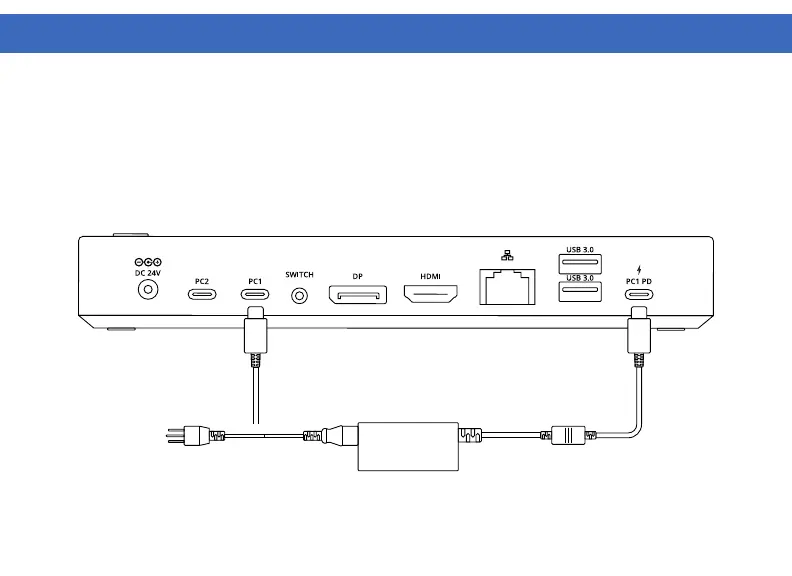
1. Connect the included USB-C cable to the PC1 out port on the back of the VT2900. Connect the other end to
your secondary laptop, PC or Mac.
2. Connect a USB-C Power Supply (5V/1A -- 5V/20A) for USB-C Power Pass-through to PC1.
*Secondary power supply not included



 To Next Page