8
DOCKING STATION SETUP (Continued)
Connecting Systems
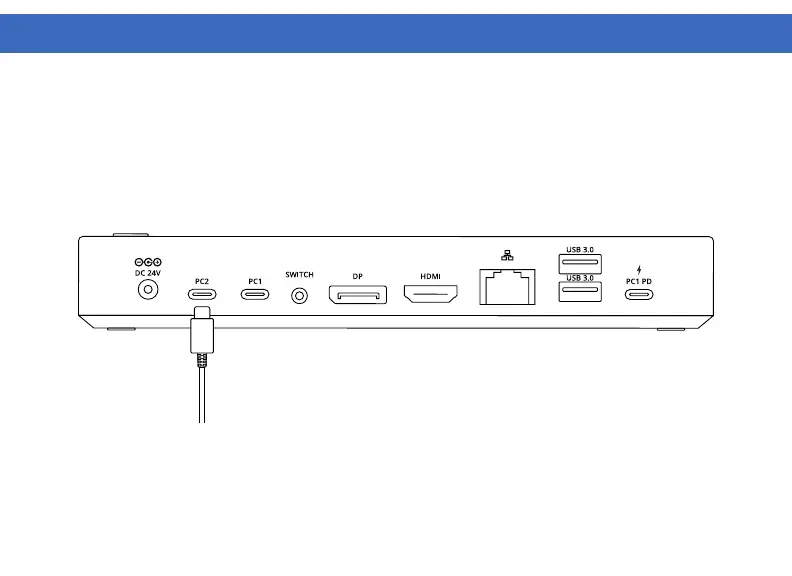
1. Connect the included USB-C cable to the PC2 out port on the back of the VT2900. Connect the other end to
your host laptop, PC or Mac.
2. The VT2900 has high resolution DP and HDMI outputs. Resolutions up to 3840 x 2160 @ 60Hz are
supported depending on how many monitors are connected and the host system capabilities. Connect your
display / displays to the VT2900.



 To Next Page