Need help?
Do you have a question about the Vislink L1700 and is the answer not in the manual?
Details potential hazards, RF power, toxic substances, protective earth, and tantalum capacitors.
Provides safety guidelines and minimum separation distances for RF exposure.
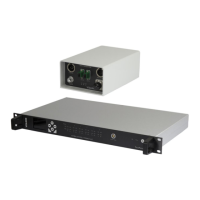
Introduces the FocalPoint Camera Racking system and its main components.
Illustrates the overall system setup with components and connections.
Provides technical specifications, front/rear panel controls, and indicators.
Lists pin configurations for OCP, Tally, and Return Data connectors.
Outlines the menu hierarchy for configuration, RF setup, and unit settings.
Provides setup instructions and explains OCP channel licensing.
Introduces the FCDT unit, its communication, power, and includes a laser warning.
Details FCDT unit specifications, controls, indicators, and switches.
Details methods for powering the OCP5 and connecting Tally signals.
Explains data connections, OCP5 control functions, and OPT button.
 General
| Input Video Format | SD/HD-SDI |
|---|---|
| Video Outputs | HD-SDI, HDMI |
| Power Supply | 12-28V DC |
| Input Voltage | 12-28V DC |
| Operating Temperature | -20°C to +50°C |


 To Next Page