ENG
23Page of 44
09360 Issue 2
Vitalograph micro - Instructions for Use
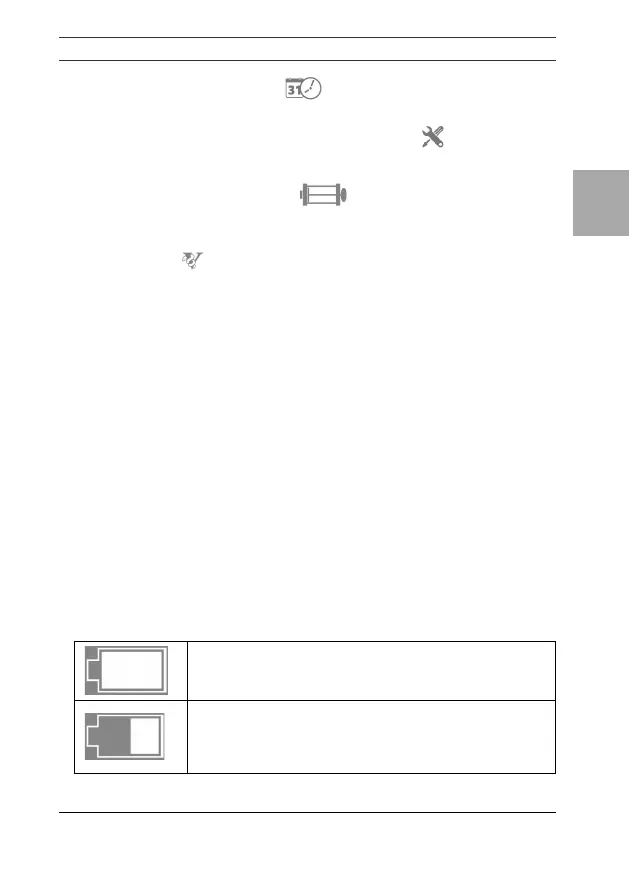
c. Date/Time: Select to set or change the date and/or
time.Usetheup/downarrowstoeditelds.
d. Service mode/Technician. This option is for servicing
andtechnicians,apasscodeisrequiredtoactivate.
3. CalibrationVerication : See section 5.4 for details
onperformingaCalibrationVerication.
4. About : Contains information about the software which
shouldbeusedifmakingenquiriestoVitalographora
service agent. This information includes the Model number
(6300), Serial number of the device, the Software reference
number,dateofthelastCalibrationVericationanddateof
Service completion.
6. Power Management
The device may be powered from a computer via the USB cable or
from internal batteries. The battery icon shows the power status of
the device.
Thedeviceuses4x1.5Vnon-rechargeableIEC60086certiedAAA
alkaline batteries.
Note: When replacing the batteries all 4 should be replaced together.
Use batteries from the same manufacturer, never mix new and old
batteries and make sure the batteries are in the correct orientation.
6.1. Battery Power Indications
There are four levels of battery power:
Battery Full - a white battery icon.
BatteryLow-half-lledwhitebatteryicon.


 To Next Page