ENG
8Page of 44 DT_0006 Issue 16
A Global Leader in Respiratory Solutions
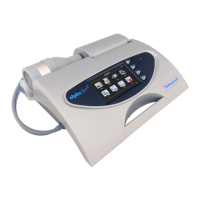
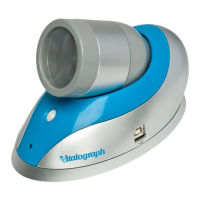
3.1. Features of the Vitalograph micro
The features include:
• Fleisch Pneumotachograph
• Removableowhead
• Touch screen colour display
• Choice of predicted values
• Report generation through Device Studio software
• Storage of tests and demographic information
4. Setting Up the Vitalograph micro
Check that the contents of the packaging match those listed on the
contents label on the inside of the carton.
Preparing for use:
1. Insert 4 x 1.5V AAA batteries into the battery compartment on
rear of device.
2. Alternatively, the device may be powered using the USB cable
supplied. Connect one end of the USB cable into a USB port on
a computer and the other end into the micro USB connector on
the device.
3. Press the On/Off switch to turn the device on.
4. Install Device Studio on the Computer following instructions
supplied with the software.
5. To use Device Studio, the micro must be connected to the
Computer via USB cable (via ports marked with the
symbol).
If the device has just been unpacked or transported, ensure that
it is left sitting, fully powered and is at room temperature prior to
testing.
Ensureacalibrationvericationiscompletedoneachtesting
day, prior to using the device (see Section 5.4 Calibration
Verication).
Ifusingwiththeremoteowhead(notincludedasstandard):
1. Removetheowheadfromthemainbodyofthedeviceby



 To Next Page