User Guide VTouch-Plus Configuration Tool
VITREA Smart Home Technologies | T: +972.3.5474746 | F: +972.3.5474738 | vitrea-sh.com | support@vitrea-sh.com
Page 9 of 27
CHAPTER 2 VTOUCH PLUS - INSTALLATION & WIRING
Overview
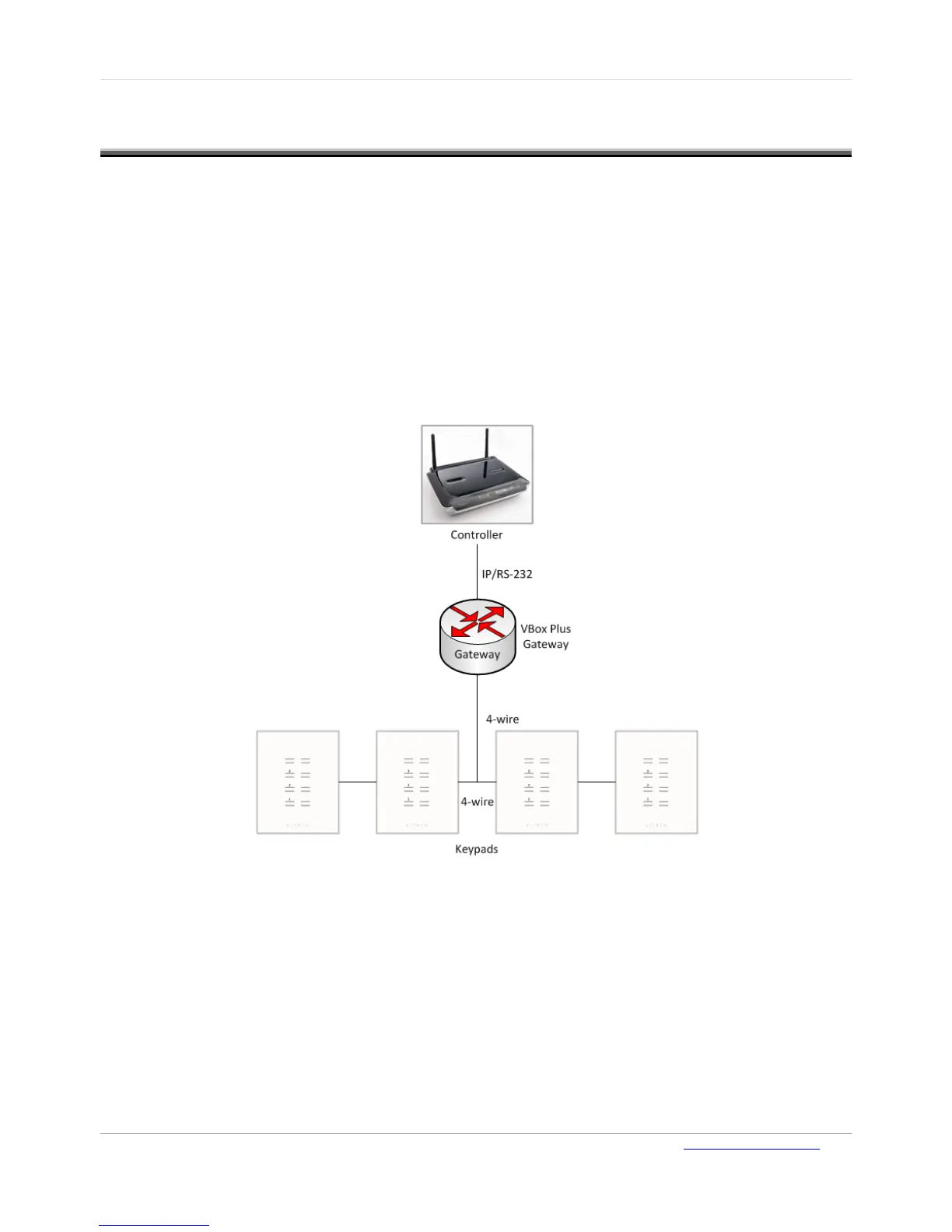
The VBOX-Plus gateway (VP gateway) is connected to a third-party Smart Home Processor
Controller (Host) via an RS-232 cable or an IP connection, and to the VTouch Plus keypads via a 4-
wire bus (two wires for RS-485 data communication and two for 24 VDC power supply).
The communication protocol between the VP gateway and the third-party Smart Home Processor
Controller is available for driver developers.
The communication protocol between the VP Gateway and the VTouch Plus keypads is Vitrea’s
proprietary protocol and runs on the RS-485 physical layer. Up to fifty keypads can be connected to
each VP gateway. For installations with more than 50 keypads, an additional VP gateway should be
added.
Figure 6: 4-Wire Bus Connectivity



 To Next Page