DEVICES +
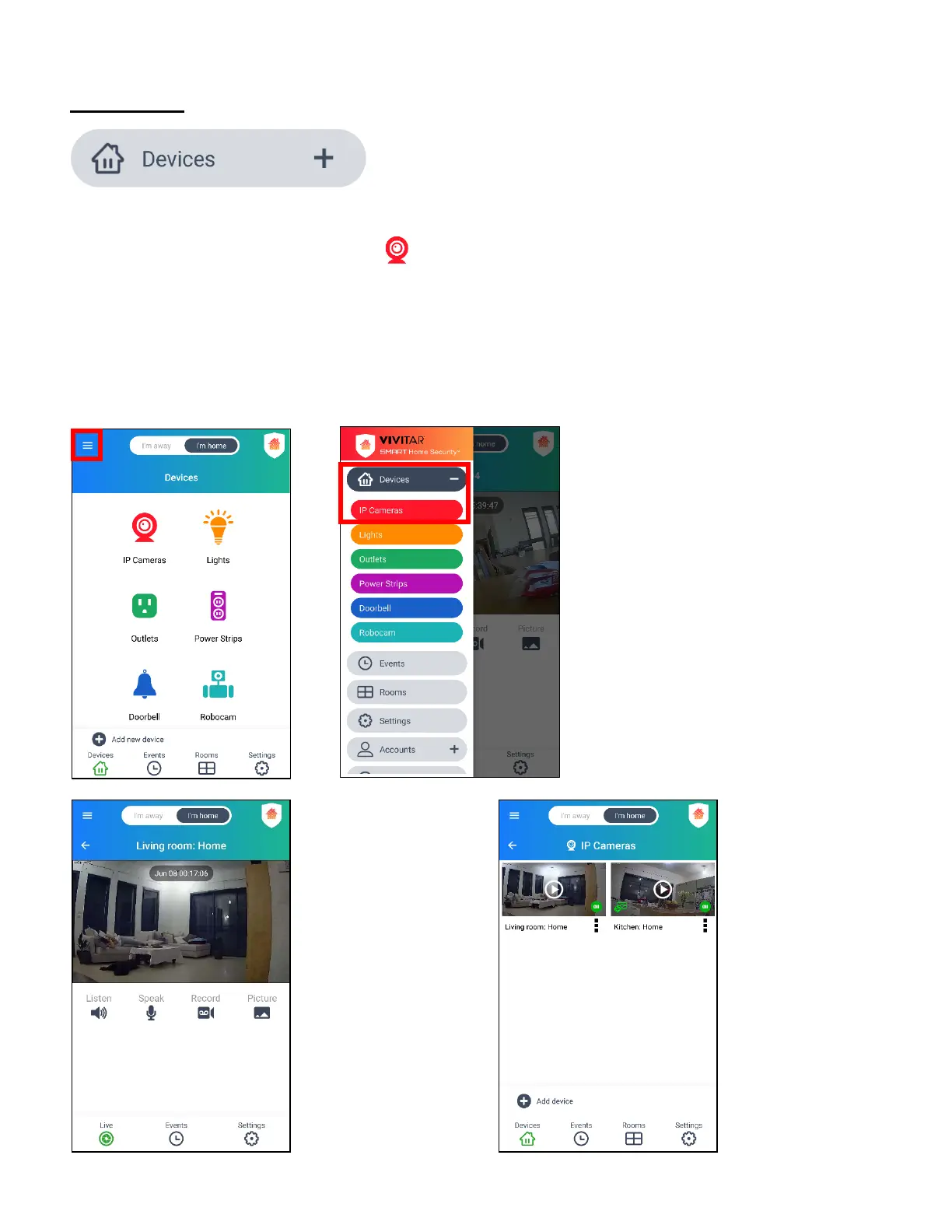
Tap the Main Menu button. Then tap Devices to go to the ‘Devices’ Home screen.
From the ‘Devices’ Home screen, tap IP Cameras to:
• Enter the Live IP Camera view (if you have only one registered IP Camera).
• Enter the ‘IP Cameras’ screen displaying the list of registered IP Cameras (if you have more
than one registered IP Camera). Select one of the video thumbnails to choose a camera to
view in Live IP Camera view.
button, Devices, then
tap IP Cameras.
If one IP Camera
is connected >
enter the Live IP
Camera view.
If Multiple IP Cameras
are connected > enter
the ‘IP Cameras’
Screen and tap a
thumbnail image to
select your camera.
The Live IP Camera
view then opens.



 To Next Page